What is the ideal meta title length for SEO?
Every page needs a title that fits and clicks. Get it wrong and Google cuts it off.
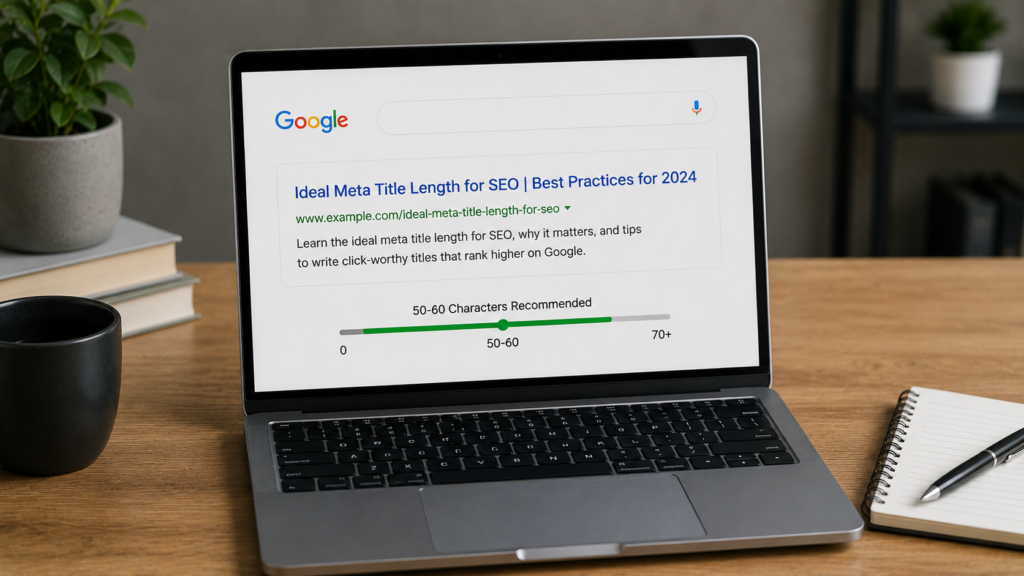
Quick answer: The ideal meta title length is fifty to sixty characters. That equals roughly six hundred pixels on desktop. Staying inside this meta title character limit keeps your title fully visible.
Introduction
Meta title length is a small but powerful SEO detail. It shapes your first impression on every search page. A long title gets truncated. A short title can miss key terms.
This guide explains the meta title character limit in plain terms. You will learn how pixel width works. You will also see why character counts still help.
We cover useful meta title tools too. That includes a meta title pixel checker. It also includes a simple meta title counter and generator.
Strong titles support your wider keyword research plan. They also work well with clean canonical tags across your site.
Small businesses and large teams both face the same challenge. Every page needs a title that respects both users and search engines. This guide keeps things simple and practical throughout.
What Is Meta Title Length
Meta title length means how many characters your title tag uses. Search engines show only limited space. Extra text gets cut with dots.
Google reads your full title for ranking. Yet only part may display on screen. Pixel width decides what shows, not character count alone.
A tight title also suits mobile first indexing. Most searches now happen on phones. Titles can render differently there.
Why This Matters for Clicks
Clicks feed your whole marketing funnel. A cut title can hide your offer. It can even hide your brand name.
Local pages feel this pain often. A dentist page needs its city shown. A restaurant page needs its name visible too.
Firms offering local seo services test this daily. They know a hidden word costs real clicks.
Ideal Meta Title Character Limit
The common meta title character limit is fifty to sixty characters. Many experts favor fifty five as a safe target. Titles under thirty characters often get rewritten.
Place your main keyword early in the title. Try to fit it within the first thirty five characters. This keeps it visible even if the end gets trimmed.
Character Count Versus Pixel Width
Character count is simple but not exact. Google renders titles by pixel width. A wide letter takes more space than a thin one.
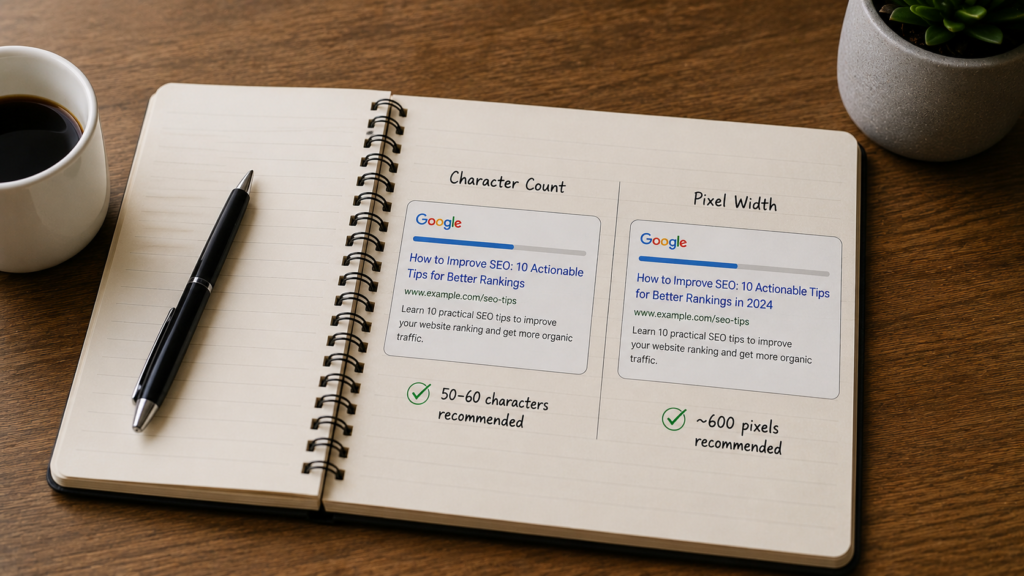
Two titles with sixty characters can look different. One might show in full. The other might get cut short.
A meta title pixel checker solves this fast. It shows true width, not just letters. Many teams pair this with a full technical seo audit checklist.
Why Fifty Five Feels Safest
Fifty five characters leaves a small buffer. It protects against wide letters like W or M. It also allows room for punctuation.
This buffer matters more on mobile screens. Mobile fonts can render slightly wider. A safe buffer avoids surprise truncation there.
Some brands prefer a shorter title on purpose. A tight, punchy title can stand out. This works best when the topic feels obvious already.
How to Check Meta Title and Description Length
Always check meta title and description length before you publish. This habit stops wasted clicks. It also prevents confusing search snippets.
Draft your title using plain, natural words. Then run it through a checker tool. Adjust wording until it fits cleanly.
Meta Title Pixel Checker Tools
A meta title pixel checker mimics real search results. It shows desktop and mobile previews together. You type a title and see instant feedback.
Free checkers exist from many SEO providers. Paid tools like Moz include preview features too. Pair this step with a core web vitals review for full coverage.
Meta Title Counter Basics
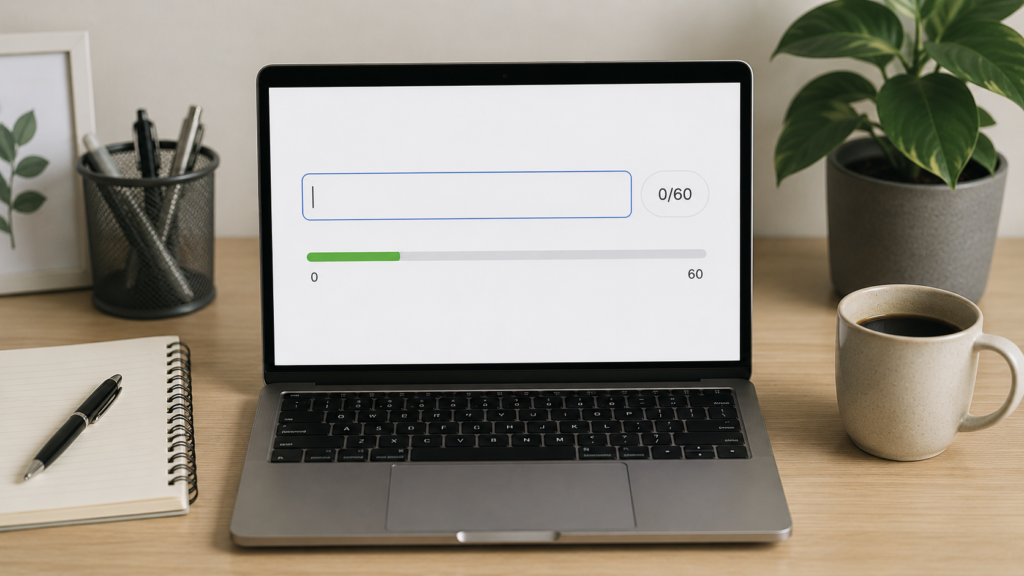
A meta title counter simply counts characters. It is less exact than a pixel tool. Still, it helps during early drafts.
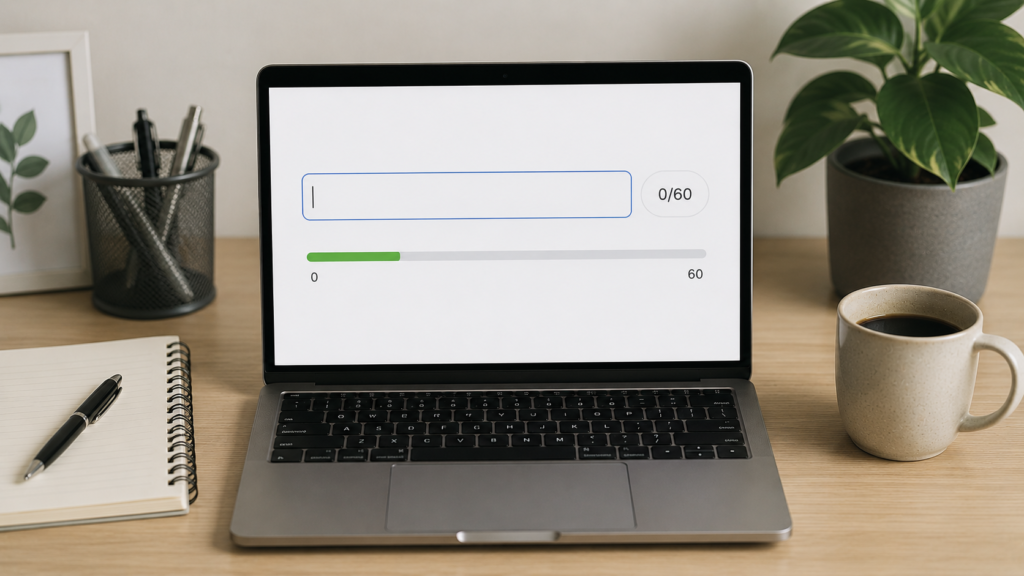
Many platforms include a built in counter. Yoast and Rank Math both offer one. Use it first, then confirm with pixels.
Best Meta Title Length for SEO Across Devices
The best meta title length for SEO can shift by device. Desktop shows about six hundred pixels of space. Mobile screens sometimes show more or less.
Because of this gap, stay near fifty five characters. This range tends to display fully everywhere. It works well across most browsers too.
Sites using heavy javascript seo setups should test titles live. Dynamic pages can render tags differently. Always confirm inside real search previews.
Front Loading Your Keyword
Front loading means placing your keyword first. This protects meaning if truncation happens. It also signals relevance right away.
Avoid stacking several keywords together. A stuffed title feels spammy fast. It can hurt clicks even with strong rankings.
How to Write Titles Within the Limit
Writing inside the meta title character limit takes practice. Start with your main keyword first. Add one clear, useful detail next.
Keep your tone natural and human. Avoid robotic or generic phrasing here. Readers notice forced, awkward wording quickly.
Here is a simple step by step method.
- Write your primary keyword first.
- Add one clear detail about the page.
- Add your brand name if space allows.
- Check the draft with a pixel checker.
- Trim wording until it fits cleanly.
This process pairs well with strong alt text on image habits. Both elements support clarity and accessibility together.
Common Errors to Avoid
Many writers repeat the page topic only. Others chase clever wording instead. Both choices can hurt click through rates.

Duplicate titles across pages cause confusion too. Every page deserves its own clear title. Search engines reward that clarity over time.
Meta Title Generator Tools Worth Using
A meta title generator speeds up your workflow. These tools suggest titles from your topic. They work well for quick brainstorming.
Generators pair nicely with broader ai seo content generator platforms. Those tools can draft outlines and headings together. Always edit the output by hand.
Large catalogs benefit most from generators. Teams running ecommerce seo work often manage many pages. Automation saves real editing time there.
Meta Title Counter Tools to Track Length
Beyond generators, use a dedicated meta title counter. Some counters live inside WordPress plugins. Others exist as simple browser extensions.
Consistent counter use protects your work. It stops accidental keyword stuffing over time. It also keeps larger teams aligned together.
Agencies running enterprise digital marketing services often build this into their workflow. Every draft passes through a quick check first.
Common Meta Title Mistakes to Avoid
Even skilled writers slip up here. Below are frequent mistakes worth avoiding.
- Writing titles past sixty five characters without checking pixels.
- Repeating the brand name at the very start always.
- Ignoring pagination seo rules on paginated category pages.
- Skipping regular reviews of your check organic traffic reports.
- Forgetting to test titles across mobile and desktop.
Fixing these issues can boost clicks fast. Small, steady changes tend to add up.
Set a recurring reminder to review old titles. Search trends shift, and pages age. A quarterly review keeps your titles fresh and competitive.
Meta Title Length and Related SEO Factors
Meta title length rarely stands alone. It connects to headings, meta descriptions, and content depth. A content audit guide often reveals weak titles quickly.

Strong titles also support your backlink audit guide efforts. Quality pages tend to earn more natural links. Sites chasing domain authority growth should treat titles as foundational work.
Schema and Featured Snippets
Adding schema markup beside a clean title helps visibility. Rich results sometimes add extra visual elements. Strong titles matter even more inside these results.
Teams exploring answer engine optimization should remember titles still count. AI summaries often pull from title tags too.
Local and Niche Considerations
Local pages benefit from short, clear titles. Include the city name within the safe range. A local seo audit often flags missing location terms first.
Certain industries need extra care here. Local seo for dentists pages should place service and city terms early. The same applies to local seo for restaurants pages.
Sites building an ai seo strategy should still review titles by hand. According to Google Search Central, title links draw from several page signals.
Focused, relevant titles tend to earn stronger clicks. Vague titles perform worse in comparison. This pattern appears in published analysis from Search Engine Journal.
Pixel width remains the real limiting factor for display. Raw character count matters less than people think. This point appears in research shared by Ahrefs.
Teams that prefer expert help can turn to professional SEO services. These teams often pair title audits with full technical seo reviews.
Titles and Site Speed
A fast page supports a strong title too. Users expect quick loads after a click. Slow pages waste the trust a good title earns.
Reviewing site speed optimization alongside titles makes sense. Both factors shape early user impressions together. Neither should be treated as an afterthought.
Titles Across Larger Sites
Large sites face bigger title challenges. Thousands of pages need unique, focused titles. Manual review becomes harder at that scale.
Teams managing enterprise seo programs often build templates first. Templates keep formatting consistent across categories. Human review still catches edge cases templates miss.
Franchise brands face a similar challenge too. A franchise seo approach often needs city based title patterns. Each location page still needs its own unique wording.
Testing Titles Before Launch
Never publish a title without one quick test. Testing takes only a few minutes. It saves hours of lost clicks later.
Start by pasting your title into a preview tool. Check both desktop and mobile views. Note any truncation right away.
Compare your draft against top ranking pages. Look at how competitors phrase similar titles. This gives useful context without copying anyone.
Google Search Console can also show real performance data. It reveals which titles earn strong click through rates. Reviewing this data regularly helps you refine future titles. The Google Search Console help center explains this process in more detail.
Building a Simple Title Checklist
A short checklist keeps your process consistent. Use it every time you publish new pages.
- Confirm the primary keyword appears early.
- Confirm the length fits within safe pixel limits.
- Confirm the title reads naturally out loud.
- Confirm no other page shares the same title.
- Confirm the brand name fits if space allows.
Following this checklist saves time across large teams. It also keeps quality steady across every writer.
Meta Titles and AI Powered Search Results
AI search features now shape more results pages. Titles still matter inside these new formats. Clear, well sized titles help AI tools summarize pages accurately.
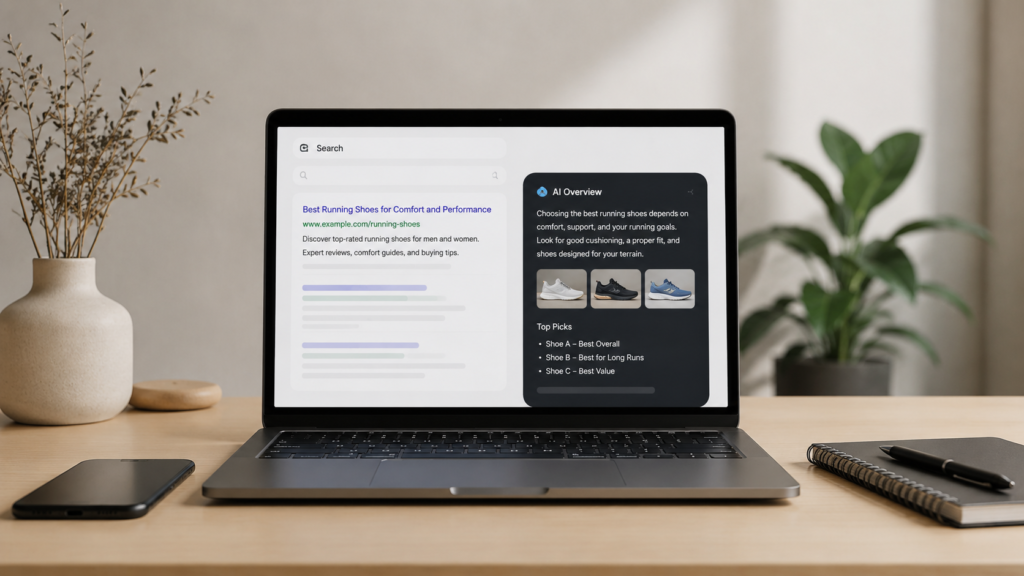
Vague or stuffed titles confuse these systems too. Clarity helps both human readers and machine summaries. Treat your title as a short, honest promise.
Pages built around geo generative engine optimization should still respect basic title rules. Strong fundamentals support newer search formats well. A confusing title rarely performs better anywhere.
Sites tracking performance through analytics reporting dashboards can spot weak titles fast. Low click through rates often point straight back to title problems. Fixing the title is often the fastest win available.
Frequently Asked Questions
The ideal meta title length is fifty to sixty characters. That equals roughly six hundred pixels wide. This range keeps titles fully visible across most desktop search results. Titles under thirty characters often get rewritten automatically. Aim for this safe range consistently.
Meta title length is not a direct ranking factor. It still shapes click through rate strongly. A well sized title earns more clicks. Higher clicks can indirectly support rankings over time. Better engagement signals often follow stronger click performance.
A meta title pixel checker simulates how your title renders. It shows real search result previews. It measures pixel width, not simple character count. This catches titles that would otherwise get truncated. Character count alone can look fine while pixels overflow.
Yes, a meta title generator can speed up early drafts. It works well across many pages at once. Always edit suggestions for accuracy and tone. Check natural keyword placement too. Automated tools save time but should never replace human review.
Use a combined checker tool for both elements. It previews them together as one snippet. This shows exactly how your full result will look. Reviewing both together helps you write natural copy. It also helps you avoid awkward truncation.
Conclusion
Meta title length may look small. Yet it shapes every click your page earns. Staying within fifty to sixty characters keeps titles visible. It also keeps them effective. Pair this habit with a reliable meta title counter. Add a pixel checker for steady results.
Combine these habits with wider efforts. Strengthen your keyword research plan regularly. Explore seo automation where it fits your workflow. Keep checking how your seo is working over time. Together, these steps build a stronger, more clickable website.

About the author
Ujjwal Kumawat
I specialize in SEO, website development, Google Ads and online business growth strategies. Through my blogs, I share practical insights, marketing tips and proven strategies to help businesses improve their online visibility, generate more leads and grow faster in the digital space.