What is alt text and why does it matter?
Every image on your site needs a clear description. Skip it, and you lose users and rankings.
Quick answer: Alt text is a short description added to an image. It helps screen readers explain images to users. It also helps search engines understand what an image shows.
Introduction
Alt text plays a bigger role than most people realize. It supports accessibility, search visibility, and social reach together. Yet many images online still skip it entirely.
This guide explains it in plain terms. You will learn how it do in SEO works. You will also see how alt text in HTML gets written correctly.
We also cover alt text in Instagram and it in Facebook settings. Both platforms let you add descriptions manually. Few users know these options even exist.
Strong image habits also connect to wider image alt text strategy. Clear descriptions support your entire keyword research plan too.
Small teams and large brands both face this challenge. Every image deserves a description that respects real users first. This guide keeps every step simple and practical.
What Is Alt Text
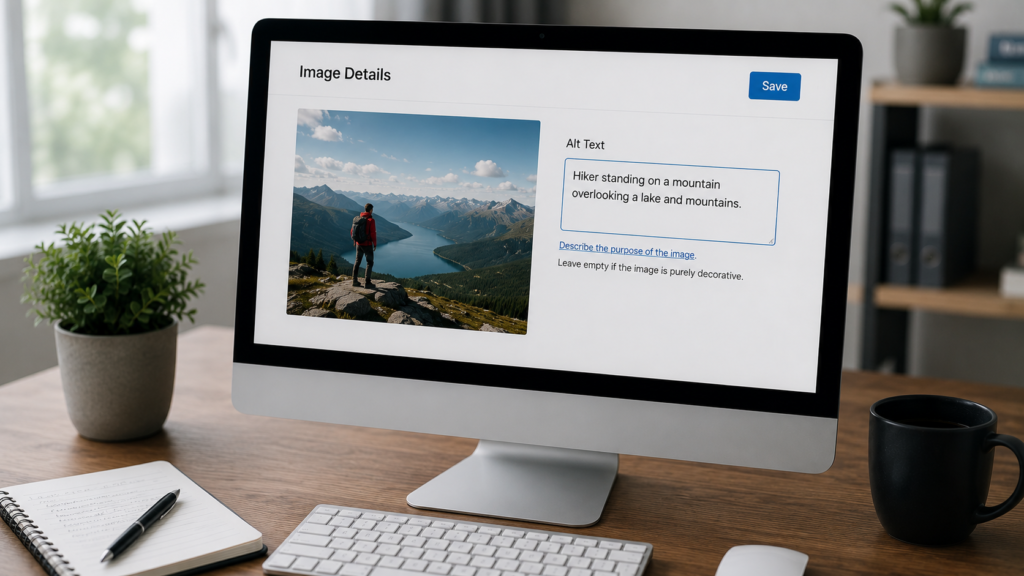
It is short for alternative text. It sits inside an image tag in HTML. Screen readers read this text aloud to users.
Search engines also scan alt text closely. They use it to understand image content. This helps images appear in search results.
Alt text differs from a caption or title. A caption shows below an image visibly. A title only appears on mouse hover.
Why the HTML Attribute Matters
Alt text in HTML uses a simple attribute. Developers add it inside the image tag itself. It looks like a short quoted phrase.
Every image should include this attribute. Decorative images can use an empty value instead. This tells screen readers to skip them quietly.
Clean HTML supports other technical work too. Sites focused on javascript seo should confirm images render with tags intact. Dynamic pages sometimes strip attributes by mistake.
Why Alt Text Matters for SEO
Alt text in SEO acts as a strong signal. It tells Google what an image shows. This helps your page rank in image search.
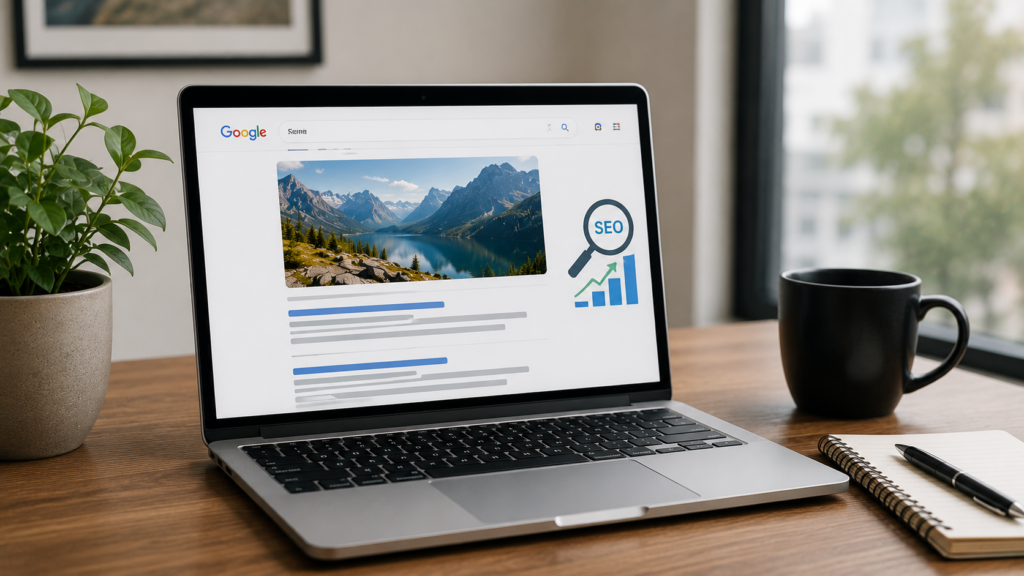
Missing alt text creates a gap in understanding. Search engines cannot see images directly. They rely on your written description instead.
Good alt text also supports mobile first indexing efforts. Most searches now happen on phones. Clear image context helps mobile rankings too.
Alt Text and Accessibility Together
Accessibility and SEO overlap here completely. Screen reader users depend on alt text daily. Around two billion people live with some vision impairment.
Writing for humans first always helps rankings. Clear, honest descriptions serve both audiences well. This is one of the easiest SEO wins available.
Sites running a full technical seo audit checklist should always include alt text checks. Missing tags often surface during these reviews.
How to Write Alt Text That Works
Writing strong alt text takes a simple approach. Describe what the image actually shows. Keep the description short and specific.
Avoid starting with phrases like image of. Screen readers already announce that it is an image. Jump straight into the real description instead.
Include one relevant keyword only if natural. Never force several keywords into one description. Forced keywords hurt both users and rankings.
A Simple Step by Step Method
Follow these steps for every image you upload.
- Look closely at what the image shows.
- Write one clear, specific sentence about it.
- Add one relevant keyword if it fits.
- Avoid repeating the same phrase everywhere.
- Keep the length under one hundred twenty five characters.
This process pairs well with a full content audit guide review. Both efforts improve overall page quality together.
Common Alt Text Mistakes
Many sites repeat the same alt text everywhere. Others leave the field completely empty. Both habits waste real SEO opportunity.
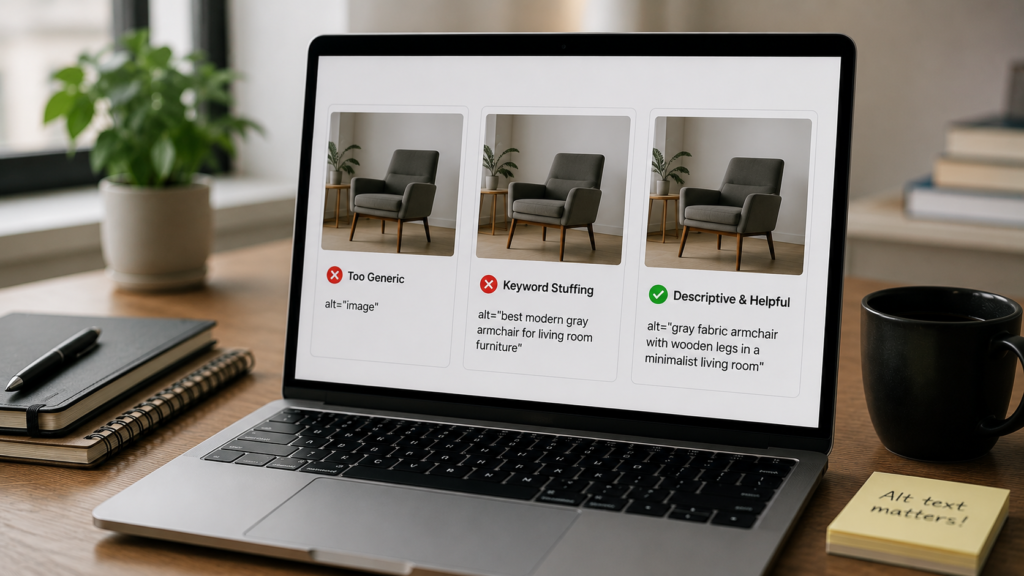
Keyword stuffing remains a frequent mistake too. Alt text like shoes running shoes buy shoes helps nobody. It reads poorly and signals spam to search engines.
- Leaving alt text blank on important images.
- Using vague words like photo or picture.
- Repeating identical text across every image.
- Stuffing multiple keywords into one description.
- Using file names instead of real descriptions.
Fixing these issues often lifts image search traffic. Small edits across old pages can add up fast.
Set a recurring reminder to review older images. Products change, and pages age over time. A quarterly review keeps your descriptions fresh and accurate.
AI Alt Text Generator Tools
An AI alt text generator can save serious time. These tools scan images and suggest descriptions. They work well for large image libraries.
Still, AI output needs human review afterward. AI can miss context or specific details. A product photo needs its exact name included.
Teams using an ai seo content generator often add alt text tools alongside it. Automation saves time across thousands of pages.
Sites focused on ecommerce seo benefit most from this pairing. Large catalogs make manual alt text writing impractical. Automation handles the bulk work efficiently.
When to Edit AI Suggestions
Always edit vague or generic AI suggestions. Replace generic terms like person with specific details. A nurse assisting a patient reads far better.
Review branded content especially closely. AI often misses product names or model numbers. Human editors catch these details quickly.
Agencies offering ai seo services often build this review step into their workflow. Quality control keeps output accurate and useful.
Alt Text in Instagram
Alt text in Instagram works a little differently. Instagram lets you add a custom description. This appears under the advanced settings menu.
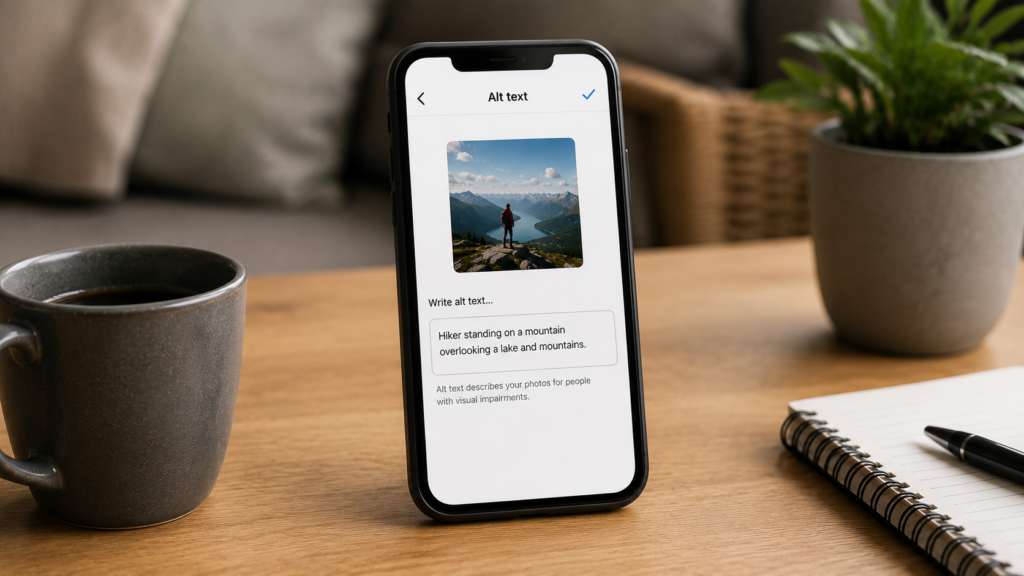
Without a custom entry, Instagram generates one automatically. Automatic descriptions often stay vague or generic. Writing your own gives far better accuracy.
How to Add It on Instagram
Open your post before sharing it. Tap advanced settings near the bottom. Select the accessibility option shown there.
Type a clear, specific description of the photo. Keep it short and genuinely useful. Save your changes before posting live.
Brands running social media marketing campaigns should build this into their process. Every branded post deserves a written description. This small habit boosts both reach and inclusion.
Agencies managing instagram advertising accounts should include this in launch checklists. Ad creative deserves the same care as organic posts. Clear descriptions support both compliance and audience trust.
Alt Text on Facebook
Alt text Facebook works similarly to Instagram. Facebook also generates automatic descriptions by default. These descriptions often miss important context.
You can edit alt text after uploading a photo. Click the photo, then find edit options. Update the description with accurate details.
Why Facebook Alt Text Still Matters
Many brands ignore this small setting entirely. Yet visually impaired users rely on it daily. A clear description improves their whole experience.
Teams managing facebook ads should review this setting too. Ad images deserve the same care as posts. Clear descriptions support both compliance and reach.
Agencies running facebook advertising campaigns often audit this during setup. It becomes part of a standard launch checklist.
Alt Text and Related SEO Factors
Alt text rarely works alone on a page. It connects closely with page speed and structure. A site speed optimization review often reveals heavy, poorly labeled images.
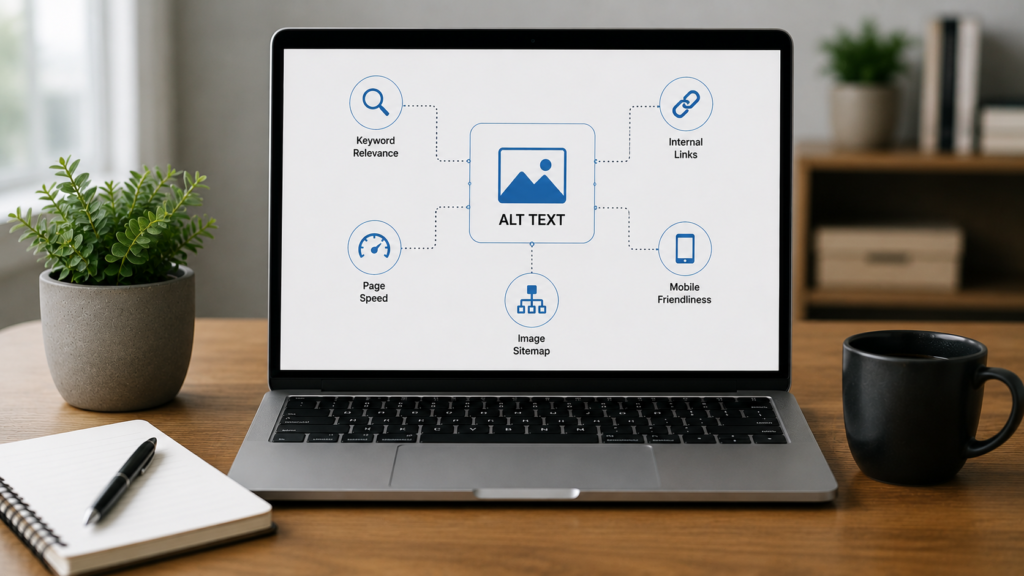
Strong alt text also supports backlink audit guide efforts indirectly. Quality pages with clear images earn more natural links. Sites focused on domain authority growth should treat images as real assets.
Schema and Image Search
Adding schema markup beside strong alt text helps visibility further. Rich results sometimes highlight images directly. Clear descriptions make these results more useful.
According to Google Search Central, alt text remains a key signal for image search. Descriptive, accurate text helps Google match images to real queries.
Moz has also noted that accessible content earns stronger engagement. This pattern appears in published research from Moz.
WebAIM has reported that many home pages still miss alt text. This gap appears in accessibility data shared by WebAIM.
The W3C also maintains detailed guidance on text alternatives. Their tutorials are available through the W3C Web Accessibility Initiative.
Teams that want expert support can turn to professional SEO services. These teams often pair alt text audits with full technical seo reviews.
Alt Text Across Larger Sites
Large sites face bigger alt text challenges. Thousands of images need unique, accurate descriptions. Manual review becomes harder at that scale.
Teams managing enterprise seo programs often build templates first. Templates keep formatting consistent across product categories. Human review still catches edge cases templates miss.
Franchise brands face a similar challenge too. A franchise seo approach often needs location based image sets. Each location still needs its own accurate descriptions.
Building a Simple Alt Text Checklist
A short checklist keeps your process consistent. Use it every time you upload new images.
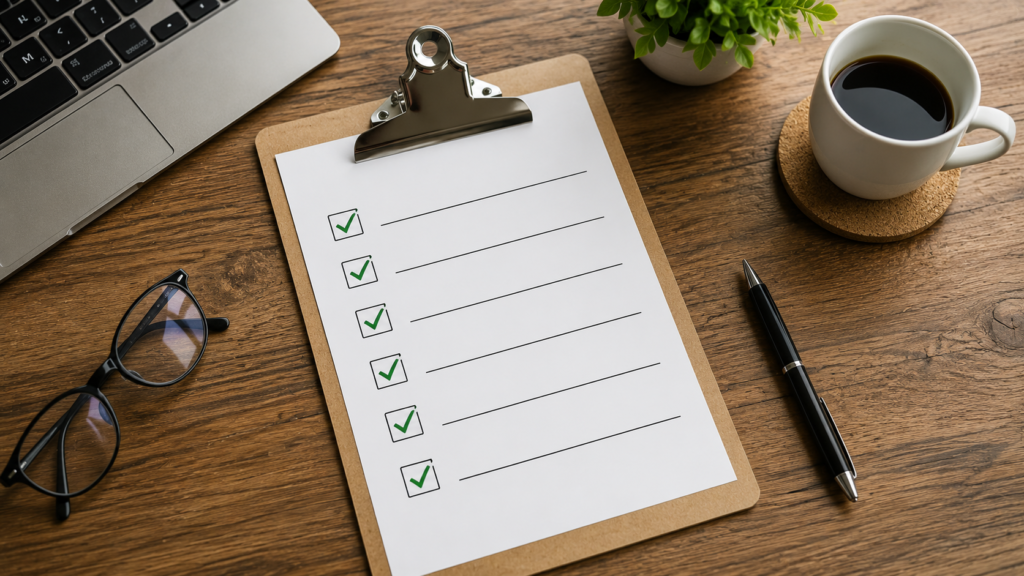
- Confirm every meaningful image has alt text.
- Confirm decorative images use an empty value.
- Confirm no two images share identical text.
- Confirm one keyword fits naturally if relevant.
- Confirm the description reads clearly out loud.
Following this checklist saves time across large teams. It also keeps quality steady across every contributor.
Testing Alt Text Before You Publish
Never publish images without a quick check. Testing takes only a few minutes. It saves real traffic and access problems later.
Turn on a screen reader and browse your page. Listen to how each image sounds. Note any missing or confusing descriptions.
Compare your images against top ranking pages. Notice how competitors describe similar photos. This gives useful context without copying anyone directly.
Google Search Console can reveal image search performance too. It shows which pages earn strong image impressions. Reviewing this data helps you spot weak spots, as explained through official Google Search Central documentation.
Alt Text and AI Powered Search Results
AI search tools now shape more results pages. Alt text still matters inside these newer formats. Clear descriptions help AI tools summarize pages accurately.
Vague or missing alt text confuses these systems too. Clarity helps both human readers and machine summaries. Treat every description as a short, honest signal.
Pages built around geo generative engine optimization should still respect basic image rules. Strong fundamentals support newer search formats well. Confusing alt text rarely performs better anywhere.
Sites tracking results through analytics reporting dashboards can spot weak image performance fast. Low image impressions often trace back to missing alt text. Fixing this gap is often a quick, easy win.
Alt Text for Different Image Types
Different images need slightly different treatment. Photos need clear, factual descriptions of content. Charts and graphs need a short summary instead.

Functional images need a different approach entirely. A button image should describe its action. Say what happens when a user clicks it.
Product Images and Ecommerce
Product photos deserve specific, detailed descriptions. Include the color, material, and model if relevant. Vague descriptions waste valuable search opportunity here.
Stores managing large catalogs face real scale challenges. Teams running amazon seo listings often batch process these descriptions. Automation helps, but human review still matters most.
Decorative Images
Some images add visual style without real meaning. These decorative images can use an empty alt value. This tells screen readers to skip them quietly.
Never leave the attribute out completely though. Missing attributes can cause screen readers to read file paths aloud. An empty value is always the safer, cleaner choice.
Frequently Asked Questions
Alt text describes an image inside a page. It helps screen readers explain the image to users. It also helps search engines understand image content. This supports accurate indexing across your entire website over time.
Alt text in SEO gives search engines useful image context. This helps images appear in search results. It also supports overall page relevance signals. Clear descriptions reinforce the main topic covered on that page.
An AI alt text generator speeds up large projects significantly. It still needs human review afterward. AI often misses specific details. Editors should check names, numbers, and context before publishing anything live.
Open advanced settings before sharing your post. Select the accessibility option shown there. Type a short, accurate description of the photo. Save your changes before the post goes live for followers to see.
Alt text Facebook helps visually impaired users understand posted images. Many brands skip this small setting entirely. Adding clear descriptions improves accessibility, supports compliance goals, and shows genuine care for every audience member.
Conclusion
Alt text may seem like a small detail. Yet it shapes accessibility, search visibility, and social reach together. Writing clear, specific descriptions benefits every single user. It also builds trust with people who rely on screen readers daily.
Combine strong alt text habits with wider efforts. Strengthen your keyword research for seo plan regularly. Explore reliable ai seo tools where they fit your workflow. Keep reviewing how your seo is working over time. Together, these habits build a stronger, more inclusive website.

About the author
Ujjwal Kumawat
I specialize in SEO, website development, Google Ads and online business growth strategies. Through my blogs, I share practical insights, marketing tips and proven strategies to help businesses improve their online visibility, generate more leads and grow faster in the digital space.