Which sitemap generator actually fits your website?
Picking the wrong tool wastes time and effort. The right one saves both instantly.
Quick answer: A sitemap generator is a tool that lists your web pages. It creates a file search engines can read. Most good tools offer both XML and HTML formats.
Introduction
A sitemap generator makes technical SEO much easier. It removes the need for manual file building. Even beginners can create a working sitemap quickly.

This guide compares the best free sitemap generator tools. You will see options for every skill level. Some suit beginners, others suit large enterprise sites.
We also cover a reliable sitemap xml generator option. You will find a solid sitemap generator free choice too. Every recommendation stays practical and easy to use.
Strong technical habits also connect to wider technical seo audit checklist work. Clean sitemaps support your entire keyword research strategy too.
Small blogs and large stores both need this file. Every growing website benefits from a reliable sitemap tool. This guide keeps every recommendation simple and practical.
What Is a Sitemap Generator
A sitemap generator scans your website automatically. It then builds a file listing every page. This file helps search engines crawl efficiently.
Some tools work as standalone websites online. Others run as plugins inside your platform. Both approaches can produce accurate, useful results.
Choosing the right tool depends on your site. Small blogs need simple, quick solutions. Large stores need more advanced, scalable options.
Some tools also offer visual site mapping features. These help teams plan structure before building pages. This works well for redesigns and new site launches.
Sitemap XML Generator Basics
A sitemap xml generator focuses on search engine needs. It outputs a structured file using XML tags. This format includes URLs and update information.
Search engines read this format very reliably. Most modern tools default to this option. It remains the industry standard for indexing.
Sites managing their crawl budget should keep this file clean. A messy sitemap can waste valuable crawler attention. Regular updates keep everything running smoothly.
Sitemap Generator HTML Versus XML Options
A sitemap generator html tool serves a different purpose. It builds a page meant for human visitors. Users can browse the entire site structure directly.
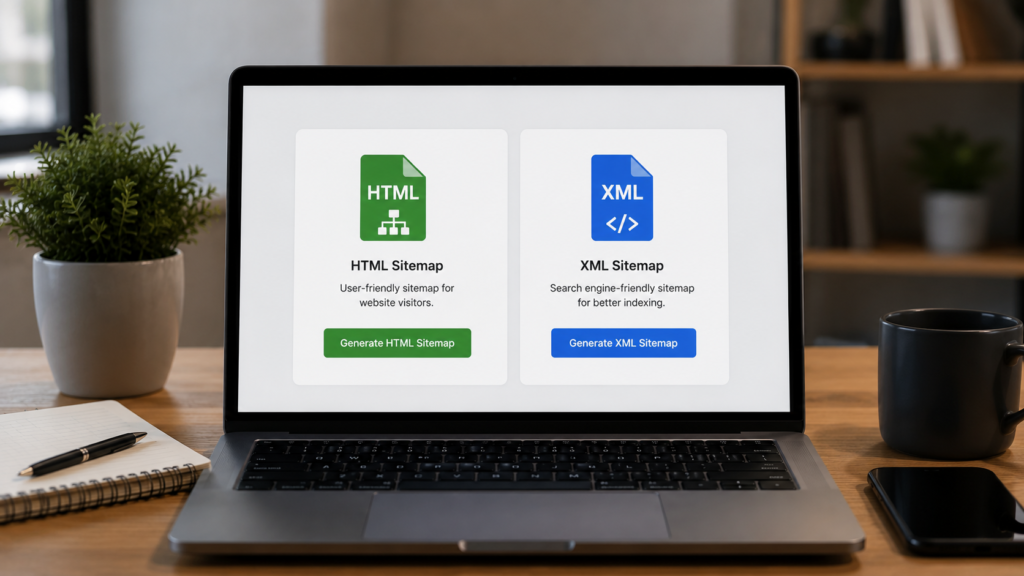
Many tools generate both formats together. This gives you flexibility for different audiences. Search engines and users both benefit equally.
Why Both Formats Matter
XML sitemaps support crawling and indexing directly. HTML sitemaps support navigation and internal linking instead. Together, they strengthen your overall site structure.
Sites focused on ecommerce seo often benefit from both formats. Shoppers browse the HTML version easily. Search engines process the XML version efficiently.
Best Free Sitemap Generator Tools
Below are reliable, well tested options worth trying. Each tool suits a slightly different use case. Pick the one matching your site size best.
XML Sitemaps Online Tool
This is a popular sitemap creator online option. You simply enter your website address. It crawls your site and builds a file.
The free plan works well for smaller sites. It typically covers a few hundred pages. Larger sites may need a paid upgrade instead.
You can try this tool directly through XML Sitemaps. It remains a solid starting point for beginners.
The tool also offers HTML and text output. This flexibility suits sites needing multiple formats. No account creation is required for basic use.
Yoast SEO for WordPress
Yoast SEO works as a full WordPress plugin. It generates a sitemap automatically once activated. No manual configuration is usually required.
This option suits WordPress users perfectly. It updates automatically as you publish content. Learn more directly through Yoast SEO.
Millions of websites already rely on this plugin. It handles sitemap creation alongside broader SEO tasks. This makes it a convenient, all in one choice.
Rank Math for Advanced Control
Rank Math offers similar sitemap features for free. It gives more granular control than some alternatives. Users can customize which content types appear.

This tool suits WordPress sites wanting flexibility. Image and video sitemap support comes included. It works well alongside other on page SEO features.
Users switching from other plugins often find the transition smooth. Settings remain clear and easy to navigate. This makes Rank Math a strong alternative choice.
Screaming Frog for Technical Audits
Screaming Frog is a well known desktop crawler. It can export a sitemap after crawling. This suits one time or audit style tasks.
Technical SEOs use this tool constantly already. It pairs well with a full technical seo audit checklist. You can explore it through Screaming Frog.
The tool also reveals broken links during the crawl. This makes it useful beyond sitemap creation alone. Many agencies use it for full site audits.
Octopus for Visual Sitemaps
Octopus focuses on visual site structure mapping. It crawls your site and builds a diagram. An XML sitemap file gets generated too.
This tool suits teams planning site architecture. It helps during redesigns and content audits. Learn more through Octopus.
Clients often appreciate the visual output during planning. It makes complex site structures easier to explain. This adds real value beyond simple file generation.
How to Choose a Sitemap Creator Online
Choosing the right sitemap maker depends on a few factors. Consider your site size and platform first. Then weigh ease of use against control.
Here is a simple step by step method.
- Check how many pages your site has.
- Confirm the tool supports your platform.
- Test the free plan before upgrading.
- Review the output for accuracy and errors.
- Submit the final file through Search Console.
This process pairs well with a full content audit guide review. Both efforts improve overall site quality together.
Features Worth Comparing
Look for support for both XML and HTML output. Check for image and video sitemap options too. These extras matter more for larger, richer sites.

Automatic updates save significant ongoing effort. Manual tools require regular resubmission work instead. Weigh this tradeoff against your available time.
Pricing also plays a real role in this decision. Free plans work well for smaller sites. Growing sites may justify a small paid upgrade.
How to Use a Sitemap Generator Tool
Using most tools follows a familiar pattern. Enter your website address into the tool. Let it crawl and process your pages.
Download the resulting file once complete. Upload it to your website root folder. Then submit it through Google Search Console.
Submitting Your Sitemap Correctly
Open Search Console and find the sitemap section. Paste your sitemap URL into the field. Click submit and monitor the results.
Check back after a few days pass. The report shows discovered and indexed pages. Errors appear clearly if something needs fixing.
Pairing this step with strong canonical tags helps further. This avoids duplicate content confusion during indexing.
Common Sitemap Generator Mistakes to Avoid
Even experienced users make mistakes here. Below are frequent issues worth avoiding.
- Using a free plan on a huge site.
- Forgetting to regenerate after major changes.
- Including blocked or noindex pages by mistake.
- Skipping validation before submitting the file.
- Ignoring errors shown inside Search Console.
Fixing these issues often improves indexing speed. New pages can appear in results much faster.
Set a recurring reminder to review your sitemap monthly. Sites grow and change constantly over time. A regular review keeps this file accurate and useful.
Sitemap Generator and Related SEO Factors
A sitemap generator rarely works alone on a site. It connects closely with structure and internal linking. A backlink audit guide often reveals pages missing from sitemaps.

Strong sitemaps also support domain authority growth over time. Well indexed pages earn more visibility and traffic. This visibility often leads to more natural backlinks.
Schema and Indexing Signals
Adding schema markup alongside a clean sitemap helps further. Structured data adds extra context for each page. This can improve how results appear in search.
According to Google Search Central, a sitemap helps Google discover pages it might otherwise miss. This matters most for large or newly launched sites.
Teams that prefer expert support can turn to professional SEO services. These teams often pair sitemap audits with full technical seo reviews.
Sitemap Generators for Large Sites
Large sites face bigger sitemap challenges naturally. Thousands of pages need careful, organized listing. Manual tools become impractical at this scale.
Teams managing enterprise seo programs often split sitemaps into smaller files. This keeps each file manageable and easy to scan. An index file then links all the pieces together.
Franchise brands face a similar challenge too. A franchise seo approach often needs many location pages listed. A reliable sitemap maker keeps this process organized.
Media sites with large archives face this challenge constantly. Years of old articles need proper, ongoing organization. Splitting files by content type keeps things manageable.
Testing Your Sitemap Before Launch
Never launch a redesign without checking your sitemap. Testing takes only a short time. It protects new pages from indexing delays.
Compare the file against your actual page list. Confirm every important page appears correctly there. Remove old URLs that no longer exist.
Sites tracking performance through analytics reporting dashboards can spot indexing gaps fast. Sudden traffic drops often trace back to sitemap errors. Fixing this gap is often a quick, valuable win.
Sitemap Maker Options for Different Site Types
Different websites benefit from different sitemap makers. Blogs need simple, automated solutions. Stores need larger, more flexible structures.

Sitemap Tools for Ecommerce Stores
Product catalogs often generate huge numbers of pages. A reliable sitemap generator tool must handle this scale. Look for tools supporting image sitemaps specifically.
Stores managing amazon seo listings should still maintain their own site sitemap. Marketplace platforms handle their own separate indexing. Your website still needs its own generator.
Sitemap Tools for Local and Service Businesses
Local businesses often run several location pages. Each page needs its own sitemap entry. A simple generator can handle this easily.
Businesses using local seo services should confirm every location appears correctly. A missing page often means missing local traffic. Regular checks prevent this common oversight.
Agencies handling local seo audit work often review sitemap tools first. Choosing the right generator saves real time. Small fixes here can produce noticeable results quickly.
Sitemap Generator and Mobile Considerations
Google now indexes most sites using mobile signals first. Your sitemap generator should reflect this priority clearly. Broken mobile pages can hurt your entire listing.
Confirm your mobile pages match desktop content closely. Missing content on mobile can limit visibility overall. This connects directly to mobile first indexing rules.
Sites managing responsive design should test both versions regularly. A clean sitemap paired with strong mobile pages performs best. Neither element should be treated as an afterthought.
Sitemap Generators and JavaScript Sites
Modern websites often rely on heavy JavaScript frameworks. Some sitemap generator tools struggle with this setup. Choose a tool built to handle rendered content.
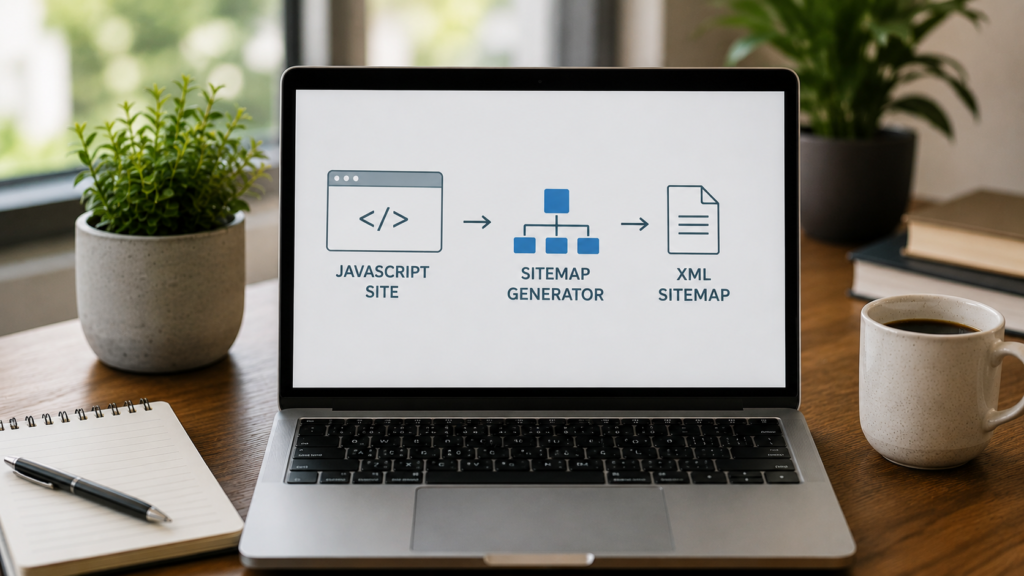
Sites focused on javascript seo should test their sitemap output carefully. Missing pages often signal a rendering problem. Regular checks catch this issue before it grows.
Choosing a generator built for modern frameworks helps avoid this entirely. Some tools now support rendered content natively. This saves significant troubleshooting time later.
Frequently Asked Questions
A sitemap generator scans your website and lists every page. It creates a file search engines can read easily. This helps crawlers discover and index your content faster and more efficiently.
Yes, a free sitemap generator works well for small sites. Most free plans cover a few hundred pages comfortably. Larger sites with thousands of pages may need a paid upgrade eventually.
An XML sitemap helps search engines crawl and index pages. An HTML sitemap helps human visitors navigate your website. Many sitemap generator tools create both formats from a single crawl.
Yes, most sitemap creator online tools work directly in your browser. You simply enter your website address and let it crawl. No installation or technical setup is usually required for basic use.
Run your sitemap generator tool after any major site update. Automated tools like WordPress plugins handle this step continuously. Manual tools need regular resubmission whenever you add new pages.
Conclusion
Choosing the right sitemap generator saves real time. Small sites need simple, quick tools. Large sites need scalable, automated solutions instead. Testing a few options first helps you decide confidently.
Combine this choice with wider efforts. Strengthen your keyword research for seo plan regularly. Explore reliable ai seo tools where they fit your workflow. Keep reviewing how your seo is working over time. Together, these habits build a stronger, more discoverable website.

About the author
Ujjwal Kumawat
I specialize in SEO, website development, Google Ads and online business growth strategies. Through my blogs, I share practical insights, marketing tips and proven strategies to help businesses improve their online visibility, generate more leads and grow faster in the digital space.