Does pagination in SEO help Google rank your content better or confuse search engines?
The honest answer is: it depends entirely on implementation. Pagination is one of the most overlooked technical SEO elements on large websites. Done correctly, it supports full content discovery and strong rankings. Done poorly, it silently wastes crawl budget, dilutes authority, and leaves entire sections of your website invisible to Google.
This guide covers everything you need to know about pagination SEO: what it is, how it affects crawling and indexing, the exact implementation steps, the most common mistakes, and the tools to catch pagination issues before they cost you rankings.
What Is Pagination?
Pagination is the process of dividing a large set of content across multiple sequential pages rather than displaying everything on a single page. Each page in the sequence is a distinct URL that users and search engine crawlers can visit independently.
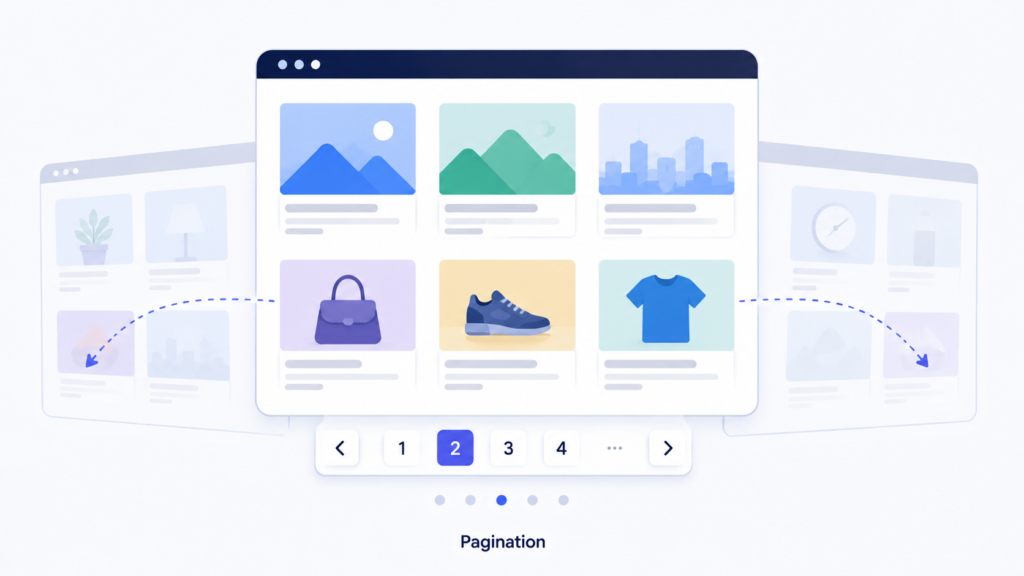
You encounter pagination across almost every type of website. A blog showing 10 posts per page with numbered navigation at the bottom is paginated. A product category displaying 24 items per page with next and previous buttons is paginated. A news archive split across hundreds of numbered pages is paginated.
In practice, pagination creates URL structures like these:
Page 1: yoursite.com/category/ Page 2: yoursite.com/category/page/2/ Page 3: yoursite.com/category/page/3/
Or using URL parameters:
Page 2: yoursite.com/category/?page=2
Pagination exists because loading thousands of items or articles on a single page creates slow load times, poor user experience, and server strain. Breaking content into pages solves these problems for users but introduces a specific set of challenges for SEO that must be addressed deliberately.
Understanding those challenges and how to manage them is what pagination in SEO is all about. It sits at the heart of any solid technical SEO foundation for content-heavy or product-heavy websites.
Pagination in SEO: Why It Matters
From a search engine’s perspective, every paginated URL is a separate page. Without clear signals about how these pages relate to each other, Google may treat them as unrelated or near-duplicate content. This creates direct ranking problems.
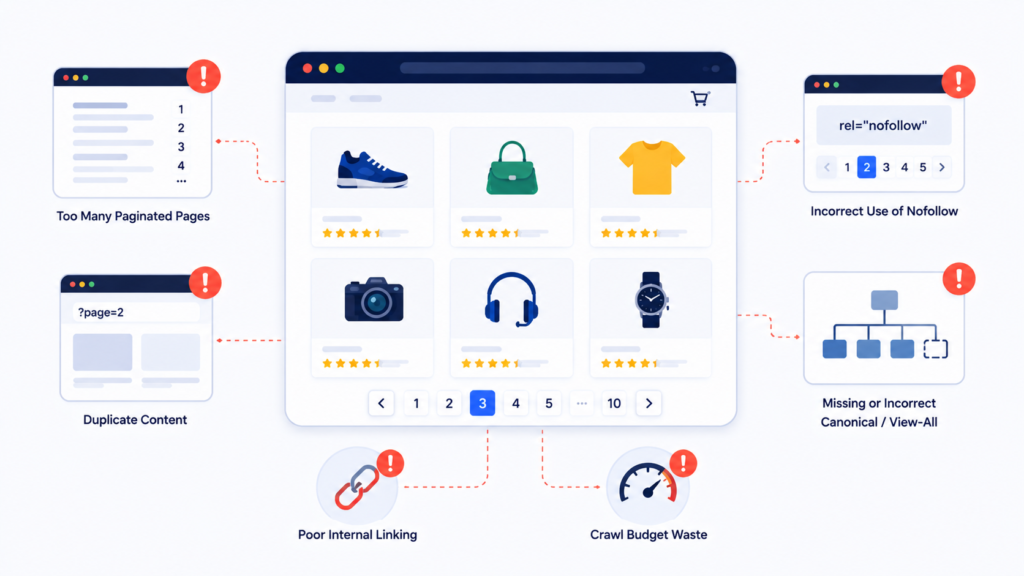
Pagination matters for SEO because of four core reasons. First, content on deep paginated pages may never be discovered or indexed if Google cannot follow the path through the series. Second, link equity from backlinks concentrates almost entirely on page 1, leaving deeper pages with almost no authority. Third, shared template content across paginated pages can trigger duplicate content signals. Fourth, large paginated series consume crawl budget that could be allocated to your most valuable content.
For any website managing large content libraries, product catalogues, or listing pages, pagination in SEO is not optional to address. It is a foundational component of an SEO services strategy that directly affects how much of your site Google actually sees and ranks.
How Pagination Affects SEO
Crawl Budget Waste
Google allocates a crawl budget to each website. Large paginated series consume that budget quickly. If Google spends most of its crawl operations on pages 10 through 30 of a category with rarely changing products, it has less capacity available for new content, updated pages, and high-priority URLs.
For large eCommerce development projects with hundreds of categories and thousands of paginated pages, crawl budget management through proper pagination configuration is a performance-critical task.
Link Equity Dilution
External backlinks and internal links almost always point to page 1 of a paginated series. Pages 2, 3, and beyond receive almost no direct link equity from either source. This makes it significantly harder for individual products or articles accessible only on deeper pages to accumulate the authority needed to rank competitively.
Duplicate Content Risks
The header, footer, navigation, category description, and metadata on paginated pages are often identical across the entire series. Google may flag pages with large blocks of shared content as near-duplicates, reducing the value it assigns to each individual paginated page.
This risk is amplified on eCommerce SEO websites where faceted navigation generates additional parameterised URL variants on top of standard pagination, multiplying the number of near-duplicate pages exponentially.
Indexing Delays for Deep Content
Products or articles accessible only through deep pagination are difficult for Google to find quickly. Discovery requires sequential crawling through every preceding page in the series. A product on page 15 of a category may take weeks or months to be indexed, if Google ever reaches it at all.
How Pagination Improves SEO
When correctly implemented, pagination actively supports search performance rather than undermining it.
Faster page load times. Showing 24 or 48 products per page loads significantly faster than showing 500 on a single page. This improves Core Web Vitals scores, particularly Largest Contentful Paint and Cumulative Layout Shift, which are direct Google ranking signals.
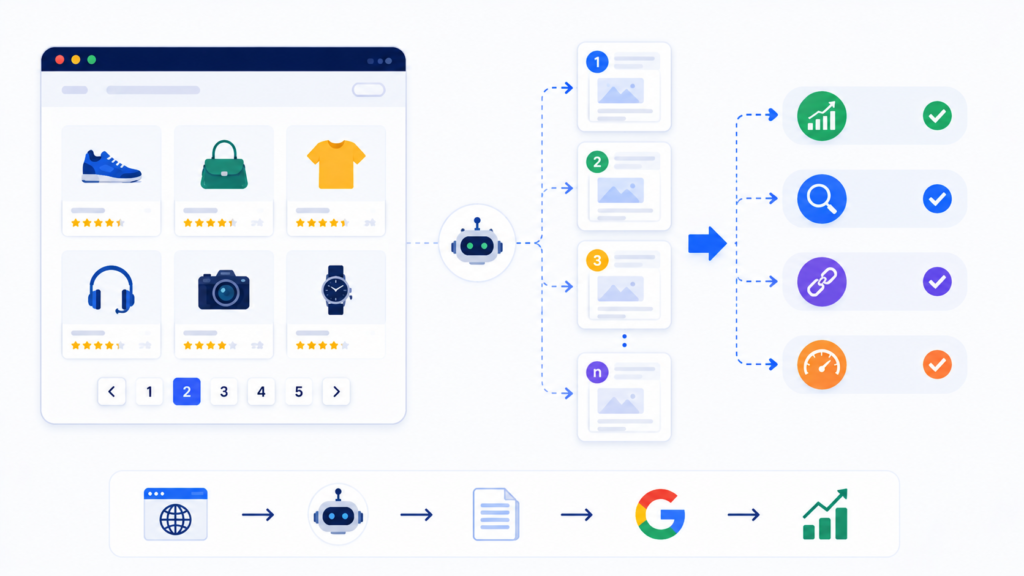
Structured content discovery. Properly linked pagination creates a crawlable path through all content in a series. When each paginated page links to the next using standard HTML anchor tags, Google can systematically discover every product or article in a large catalogue.
Cleaner authority signals. With self-referencing canonical tags correctly applied, each paginated page is treated as a distinct, legitimate page rather than a duplicate. Authority from internal links flows cleanly through the series without fragmentation.
Better user engagement signals. Manageable page sizes reduce bounce rates and improve pages per session metrics. These engagement signals contribute positively to search rankings over time.
How to Implement Pagination SEO
Use Standard HTML Anchor Tags for All Pagination Controls
Every pagination element, including numbered page links, next buttons, and previous buttons, must use standard HTML anchor tags with href attributes. This is the single most critical implementation requirement.
Correct:
html
<a href="/category/page/2/">Next Page</a>
<a href="/category/page/1/">Previous Page</a>
Incorrect for SEO:
html
<button onclick="loadNextPage()">Next</button>
Google follows links by reading href attributes. JavaScript-only pagination controls without href attributes are invisible to crawlers. Every item on page 2 and beyond becomes undiscoverable. This is a foundational requirement for any custom website development or WordPress website development project from the very first build.
Apply Self-Referencing Canonical Tags on Every Paginated Page
Google’s current best practice is for each paginated page to carry a canonical tag pointing to its own URL.
Google’s current best practice is for each paginated page to carry a canonical tag pointing to its own URL, per Google’s official canonicalization guidance.
On page 2:
html
<link rel="canonical" href="https://yoursite.com/category/page/2/" />
Do not canonicalize pages 2, 3, and beyond back to page 1. This signals to Google that those pages are duplicates of page 1, causing the content on them to be ignored entirely. It is complete guide to canonical tags
Never Apply Noindex to Paginated Pages
Applying noindex to paginated pages 2 and beyond is a common but damaging mistake. When Google encounters a noindex tag, it stops following links on that page. Everything beyond that point in the series becomes invisible to the crawler.
A Note on rel=prev/next
Google previously used rel="next" and rel="prev" tags to identify pagination relationships. Google has since confirmed it no longer relies on these tags for indexing, per its current pagination guidance. You can still include them for accessibility or for other search engines, but don’t rely on them for Google indexing signals.
Keep all paginated pages indexable unless you have a specific, deliberate reason to restrict a particular page. Managing this correctly is a standard part of any technical SEO audit checklist review.
Include Paginated Pages in Your XML Sitemap
Including representative deep paginated pages in your XML sitemap gives Google a direct discovery path rather than requiring sequential crawling through the entire series. This accelerates indexation of content on deeper pages significantly.
Only include paginated pages containing genuinely unique content worth indexing. Submit your updated sitemap in Google Search Console after any significant pagination changes. If you’re not confident your current sitemap is clean, run it through a sitemap checker first to catch broken or non-canonical URLs before submission.
Differentiate Metadata Across Paginated Pages
All pages in a series should have unique title tags that include the page number. For example: “Women’s Dresses Page 2 | YourStore” instead of using the same title across the entire series. This reduces duplicate metadata signals and helps Google distinguish each page as a distinct entity.
Common Pagination SEO Issues
JavaScript-Only Pagination Controls
If your pagination is built entirely with JavaScript click handlers or onclick events without crawlable href attributes, Google cannot discover any page beyond page 1. This affects websites using modern JavaScript frameworks without server-side rendering.
This is directly connected to the JavaScript rendering challenges covered in our JavaScript SEO guide. A related and equally common failure is hash-based routing, where the URL only changes after a # symbol (for example, yoursite.com/category/#page=2) — Google treats this as the same URL, so it never discovers page 2 onward. Any content loaded only after a JavaScript click, without a real URL change, is invisible to search engine crawlers. Also challenges discussed in site speed optimization and JavaScript SEO. Any content behind a JavaScript click is invisible to search engine crawlers. For details always used guide to mobile-first indexing.
Incorrect Canonical Tags Pointing to Page 1
Many websites incorrectly apply canonical tags on all paginated pages pointing to page 1. The intent is to prevent duplicate content, but the result is telling Google that pages 2 through 30 are all duplicates of page 1, causing those pages and their content to be completely devalued.
Infinite Scroll Without Paginated Fallback
Infinite scroll loads content dynamically as users scroll. Google does not scroll. Any content that loads after the initial page response is invisible to the crawler unless a parallel paginated URL structure exists.
This is an important consideration for website design services decisions. Infinite scroll may look appealing to users but creates serious SEO visibility gaps without a proper crawlable pagination structure alongside it.

On eCommerce sites, filter combinations generate parameterised URLs that combine with pagination to create an exponential number of near-duplicate pages. A category filtered by colour and size, then paginated, might produce thousands of URL variants. Without proper canonical management, this consumes crawl budget and creates duplicate content at scale. Reviewing your keyword research for filtered category pages helps confirm which filter combinations are actually worth indexing versus canonicalizing away.
Identical Metadata Across the Paginated Series
Using the same title tag and meta description on every page of a category series sends duplicate metadata signals to Google and makes it harder for the search engine to differentiate pages in the series from each other.
How to Fix Pagination Issues
Fix 1: Replace JavaScript pagination controls with standard anchor tags. Work with your development team to ensure every pagination element uses HTML anchor tags with href attributes. Test crawlability using Google Search Console URL Inspection.
Fix 2: Replace incorrect page 1 canonical tags with self-referencing canonicals. Audit all paginated pages and update canonical tags so each page references its own URL. Verify the fix across every paginated series on the site, not just a sample.
Fix 3: Remove noindex from paginated pages. Identify all paginated pages with noindex applied and remove the directive. Replace with self-referencing canonical tags where you want to manage ranking visibility without blocking crawl discovery.
Fix 4: Update XML sitemap. Add deep paginated pages to your sitemap. Submit the updated sitemap in Google Search Console and monitor the Coverage report for improvements in indexation over the following weeks.
Fix 5: Differentiate metadata. Update your title tag templates to include page numbers on all paginated pages. Run a post-fix crawl audit to confirm changes are applied correctly across the full series.
Fix 6: Manage faceted navigation with canonical tags. Apply canonical tags on all filter and sort URL combinations pointing to the appropriate base category URL. Block low-value parameterised URL combinations from crawling via robots.txt where appropriate.
After implementing fixes, monitoring through a regular SEO audit process confirms that changes have taken effect and no new pagination issues have emerged from site updates.
Tools to Check Pagination
Google Search Console. The Coverage report identifies paginated pages excluded from the index under categories like “Duplicate without user-selected canonical.” The URL Inspection tool shows the canonical Google selected for any individual paginated page and reveals crawl errors.

Screaming Frog SEO Spider. Configure with JavaScript rendering enabled to crawl your full pagination structure. Filter results by paginated URL patterns to review canonical tags, robots directives, title tags, and internal link structure across all paginated pages simultaneously.
Sitebulb. Provides pagination-specific hints flagging issues including pagination links absent from raw HTML, duplicate content across the series, and canonicalization conflicts. Visual crawl maps help you understand pagination depth across your site structure.
Google PageSpeed Insights. Since pagination directly affects the volume of content loaded per page, PageSpeed Insights confirms that your per-page content load is supporting rather than harming Core Web Vitals performance across paginated templates.
Log File Analysis. Server logs show exactly which paginated pages Googlebot is crawling, at what frequency, and how far into each series it is reaching. If logs show Google stopping at page 5 of a 25-page series consistently, this indicates a crawl depth issue requiring sitemap and internal linking improvements.
For businesses managing large websites, incorporating pagination checks into a recurring technical SEO audit checklist process ensures issues are caught early before they compound into significant ranking losses.
Frequently Asked Questions
Use standard HTML anchor tags with href attributes for all pagination controls, apply self-referencing canonical tags on every paginated page, include deep pages in your XML sitemap, differentiate title tags across pages, and never apply noindex to pages containing content you want indexed.
Pagination affects SEO by consuming crawl budget, diluting link equity across a page series, creating duplicate content risks from shared template elements, and making deep pages harder to discover and index. Correct implementation resolves all four problems and supports full content visibility.
Each paginated page should carry a self-referencing canonical tag pointing to its own URL. Never canonicalise pages 2 and beyond back to page 1, as this signals to Google those pages are duplicates of page 1 and causes their content to be ignored entirely.
No. Noindex prevents Google from following links on paginated pages to discover subsequent pages and individual content items. This leaves large portions of your catalogue or archive invisible. Use self-referencing canonical tags to manage indexation without blocking crawl discovery.
Infinite scroll is bad for SEO without a paginated fallback. Google does not scroll, so content loading dynamically on scroll is invisible to crawlers. If you use infinite scroll for user experience, implement a parallel paginated URL structure so Google can discover all content through crawlable links.
No, Google no longer uses rel=”prev”/rel=”next” as an indexing signal. It relies on crawlable links instead. You can keep them for accessibility or other search engines, but they won’t affect Google rankings.
A view-all page can work if load times stay fast and Core Web Vitals hold up. For large catalogs or archives, paginated pages with self-referencing canonicals are usually safer and faster for users.
Most AI crawlers follow standard crawlable HTML links the same way Google does, but they generally cannot follow JavaScript-only or hash-based pagination, making crawlable href links just as critical for AI visibility.
Conclusion
Pagination is a technical SEO element that operates quietly in the background of large websites, affecting crawl coverage, authority distribution, and indexation across entire content libraries. When ignored, it silently suppresses rankings on pages 2 and beyond without any obvious warning.
The fixes are straightforward: use crawlable HTML anchor links, apply self-referencing canonical tags, keep paginated pages indexable, include them in your sitemap, and differentiate their metadata. Applied consistently, these practices ensure Google can discover and rank every product and article across your full paginated content, not just what appears on page 1.
If you want to audit and fix pagination issues across your website with professional support, our SEO services team provides comprehensive technical audits that cover pagination, canonicalization, crawl budget, and every other foundational element affecting your organic performance.

About the author
Ujjwal Kumawat
I specialize in SEO, website development, Google Ads and online business growth strategies. Through my blogs, I share practical insights, marketing tips and proven strategies to help businesses improve their online visibility, generate more leads and grow faster in the digital space.