If AI image generation already felt a little unreal, AI video generation takes that feeling several steps further. You type a short prompt like “a drone shot over a coastal road at sunset” or upload a single product photo and moments later, you’re watching a smooth video clip that looks like it required professional gear, a full crew and a budget most brands don’t have.
It’s impressive. It’s slightly disorienting. And it naturally raises the question: how is this actually happening?
Here’s the reassuring part. If you already understand the basics of AI image generation or even skimmed an explainer on it you’re most of the way there. AI video generation builds on the same foundation, with one major addition.
At its core, AI video is image generation plus time. The same principles apply, but the model also understands how visuals should change from one moment to the next.
By the end of this guide, you’ll understand what’s happening behind tools like Runway, Pika and Sora when they transform text or still images into video and how to use them more strategically instead of relying on trial and error.
The Core Concept: Text-to-Video = Text-to-Image + Time
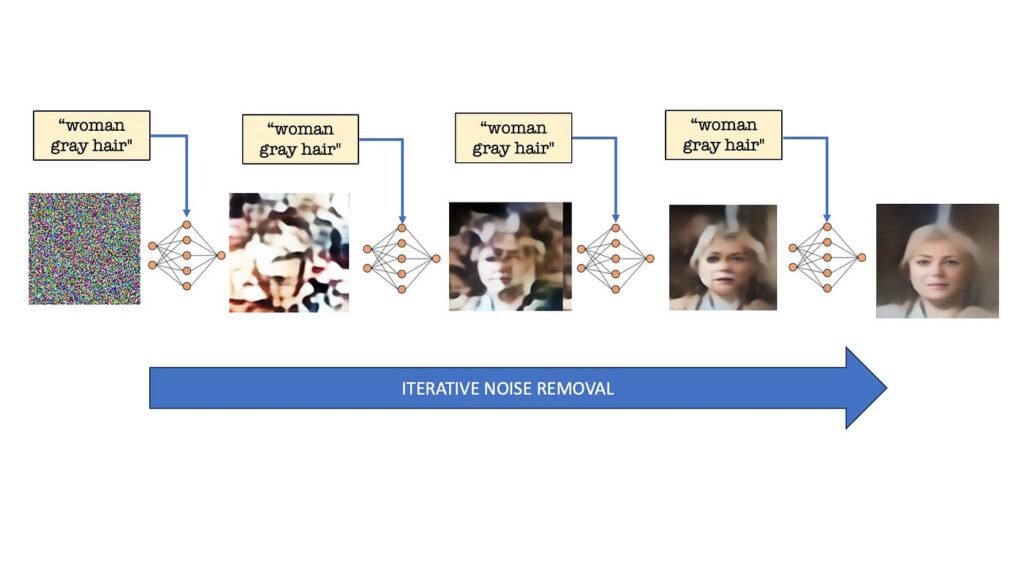
AI image generators work by converting your prompt into numerical data, starting from visual noise and gradually refining that noise until it forms an image that matches your description. Structure slowly emerges from randomness.
Video generation follows the same logic, but instead of working on one image, the model processes an entire sequence at once. Think of it as a three-dimensional block of static width, height and time filled with random noise.
The AI then removes that noise in small steps across all frames simultaneously. What makes this possible is an added layer of intelligence designed specifically to understand motion. This is how the model learns how people walk, cameras pan, waves move or objects shift realistically over time.
Without this time based understanding, you’d get a collection of disconnected frames. With it, you get smooth motion, visual consistency and scenes that mostly obey the laws of physics.
Step One: Your Words Become a Storyboard
Before generating any frames, the AI analyzes your prompt for cues about movement and perspective. Verbs and camera-related language play a critical role here.
Words like walks, flies, pans left, slow zoom or tracking shot aren’t just descriptive. They’re instructions. The model has learned what these actions look like from massive volumes of video data, and it uses them to plan how the scene should unfold.
Many systems start by creating key frames important moments that represent the beginning, middle and end of a short clip. These act like storyboard panels. Once those are defined, the AI fills in the motion between them.
This is why specificity matters. “A person” gives the model little direction. “A person walking toward the camera” introduces movement. Adding camera details and pacing turns your prompt into a set of creative instructions rather than a vague request.
Step Two: Noise, But in Three Dimensions
This is where video generation diverges from image generation in a meaningful way. Instead of starting with a flat field of noise, the model begins with a full block of static across every frame of the clip.
During early processing steps, the AI establishes the overall structure subjects, layout, colors and composition. These decisions apply consistently across the entire video.
Later steps refine detail while maintaining continuity. A subject’s appearance remains stable. Background elements don’t randomly change. Motion feels intentional rather than chaotic.
This consistency is what separates usable AI video from a slideshow of loosely related images.
Step Three: The Temporal Layers (The Motion Engine)
The real breakthrough behind AI video lies in what are often called temporal layers. These parts of the neural network understand how pixels should change from one frame to the next.
They recognize patterns in movement: how legs alternate during a walk, how smoke rises and disperses, how water ripples or how hair reacts differently than fabric. They also distinguish between camera movement and subject movement two scenarios that may look similar but behave very differently in reality.
This is why modern tools expose camera controls. When you choose a pan, tilt or dolly movement, you’re directly guiding these motion layers. Understanding this distinction allows you to create more controlled, professional-looking results.
Step Four: Refinement and Delivery
The first generated clip is typically short and low resolution. Think of it as a rough cut. The motion is there, but the image may lack sharpness or smoothness.
From there, additional models step in. Super-resolution improves clarity. Frame interpolation inserts extra frames to smooth movement. Some platforms handle this automatically, while others allow manual control.
Although it feels like one action on the surface, your video may pass through multiple stages key frame planning, diffusion processing, temporal alignment, upscaling and interpolation before it appears in your preview window.
Top 5 AI video tools for marketers (with pricing)
| Tool | Best For | Key Features | Ease of Use | Pricing |
|---|---|---|---|---|
| Synthesia | AI avatar videos | AI presenters, multilingual voiceovers, corporate videos | Very easy | Starts around ~$30/month (varies by plan) |
| InVideo AI | Social media & ads | Text-to-video, templates, stock media, automation | Beginner-friendly | From ~$17/month (Invideo) |
| Pictory AI | Blog-to-video | Converts articles to videos, captions, summaries | Easy | ~$19–$39/month (typical tiers) (Medium) |
| Runway ML | Advanced AI video creation | Text-to-video, editing, effects, Gen models | Moderate | From ~$12/month; higher tiers ~$76/month (Runway) |
| Canva AI Video | Simple marketing videos | Templates, drag-drop editor, AI clips | Very easy | Free + Pro plans (~$10–$15/month typical) |
But What About Image-to-Video?
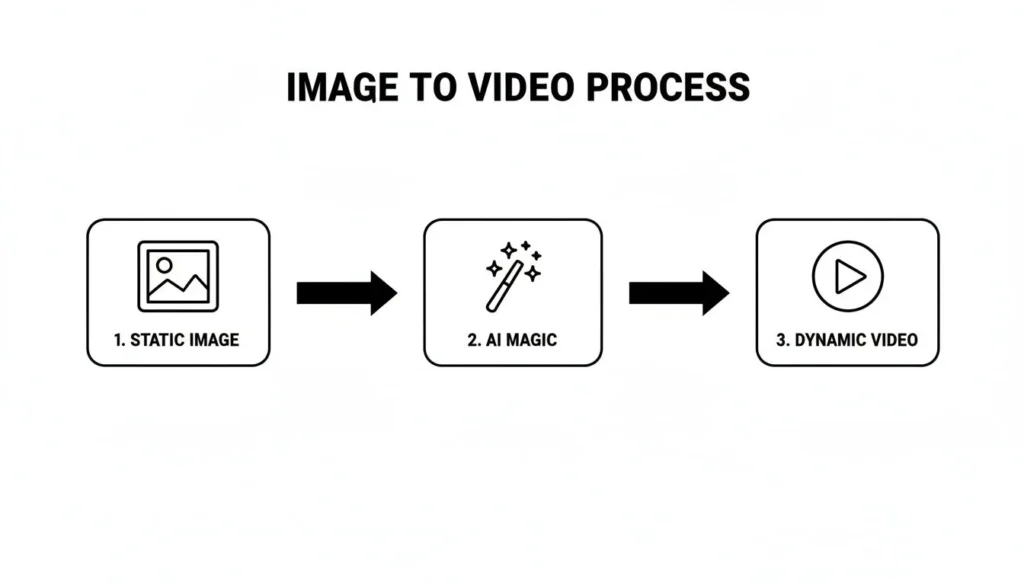
So far, this explanation has focused on text-to-video. Image-to-video follows a similar process but starts from a different place.
Instead of beginning with pure noise, the model uses your uploaded image as the first frame. It encodes that image into its internal representation and applies motion on top while preserving the original visual identity.
This is especially valuable for marketers. Existing product photography, campaign visuals or brand assets can be animated without redesigning them. Colors remain consistent. Layouts stay intact. Motion adds depth without compromising brand standards.
In simple terms, text-to-video creates a scene from a written brief. Image-to-video brings an existing visual to life.
How the Major Tools Differ
Most AI video tools rely on similar core technology, but results vary based on tuning, training data and interface design.
- Runway is widely used by creative teams for both text-to-video and image-to-video. It offers strong camera controls and predictable results, making it useful for concept development and early-stage production.
- Pika focuses on short clips with flexible motion and framing options. It’s well-suited for rapid experimentation, social content and marketing iterations.
- Sora points to where the industry is heading longer clips, improved realism and stronger physical consistency. As availability expands, it will significantly reduce reliance on stock footage.
- Open-source video diffusion models are often optimized for image-to-video workflows and custom pipelines, making them valuable for teams building tailored creative systems.
The Practical Takeaway: Think Like a Director
Once you understand how these systems work, your approach changes. You’re no longer just describing visuals you’re directing them.
Think in terms of camera movement, subject motion and pacing. Decide what happens at the start, how the scene evolves and how it ends. A vague request produces generic output. Clear direction produces intentional results.
This same mindset applies across digital marketing, whether you’re crafting an AI-generated video or writing an SEO optimized Instagram Caption. Precision, clarity and intent always outperform general descriptions.
AI video tools work best as creative accelerators. They help visualize ideas quickly, test concepts and reduce production barriers. Final polish, judgment and storytelling still rely on human expertise.
FAQs:
Most AI video tools run in the cloud, so users don’t need high-end GPUs. However, developers building custom models typically require powerful GPUs like NVIDIA A100 or H100 for training and fine-tuning.
Yes, many brands use AI-generated video for ads, product demos, and social media campaigns. However, licensing terms and platform policies should always be reviewed before commercial use.
AI performs best when starting from structured inputs such as product photos, brand guidelines, or consistent prompts. Image-to-video workflows generally preserve brand identity better than pure text-to-video.
Most platforms export in MP4 format with options for different resolutions (720p, 1080p, sometimes 4K). Some advanced tools also support alpha backgrounds or layered outputs.
To improve output:
– Be specific about camera movement
– Define subject motion clearly
– Mention lighting and time of day
– Keep scenes simple
– Iterate using shorter clips before scaling
The Future Is Already in Motion
At its foundation, AI video generation uses the same principle as image generation: start from noise, refine in steps and guide the result using learned patterns. Temporal layers handle motion. Camera controls shape perspective. Upscaling and interpolation deliver polish.
The technology isn’t flawless yet. Visual oddities still happen. Physics occasionally bends. But the ability to turn a sentence or a single image into moving footage would have required significant resources just a few years ago.
Now, it takes seconds.
If you’re interested in how AI is reshaping not just creative production but search visibility and digital strategy, explore insights from our team at Adclickr through our blog resources or learn how AI-driven SEO services support modern content ecosystems.
To see how these tools fit into real world marketing workflows, explore our portfolio or reach out through our contact page to discuss AI-powered growth strategies.

About the author
Ujjwal Kumawat
I specialize in SEO, website development, Google Ads and online business growth strategies. Through my blogs, I share practical insights, marketing tips and proven strategies to help businesses improve their online visibility, generate more leads and grow faster in the digital space.