Over 90% of web pages receive zero organic traffic from Google — and unresolved technical issues are the most common cause. Strong content and quality backlinks cannot compensate for technical barriers that stop Google from crawling and indexing your site. That is where technical SEO comes in.
A technical SEO audit is the process of identifying and resolving the technical issues that prevent Google from crawling, indexing, and ranking your website. It covers site architecture, Core Web Vitals, schema markup, mobile usability, and SEO automation — the tools and processes that keep your site technically healthy long-term. This 9-step checklist covers every element, with direct links to the Adclickr services that fix each issue.
What Is a Technical SEO Audit?
A technical SEO audit evaluates the backend infrastructure of your website — everything that affects how search engines discover, crawl, interpret, and rank it. It is distinct from on-page or off-page SEO, though all three work together.
| Type | What It Covers | Ranking Impact |
|---|---|---|
| Technical SEO | Site architecture, Core Web Vitals, schema markup, crawlability, mobile usability | High — enables or blocks all other SEO |
| On-Page SEO | Title tags, meta descriptions, content quality, keyword usage, internal links | High — content relevance and signals |
| Off-Page SEO | Backlinks, brand mentions, third-party authority signals | High — domain authority and trust |
Technical SEO is the foundation — without it, on-page and off-page efforts cannot reach their full potential. For a professional SEO audit delivered by our specialists, we handle the full technical review for you.
“A technical SEO audit is not a one-time event. For any active website, quarterly audits are the minimum standard — and SEO automation can run many of these checks continuously without manual effort.”
The 9-Step Technical SEO Audit Checklist
Work through these steps in order — each one builds on the last. SEO automation, covered in Step 9, ties the entire process together into a continuous monitoring system.
Step 1 — Audit Your Site Architecture and URL Structure
A logical URL hierarchy mirrors your site structure and makes important pages reachable within a few clicks from your homepage. For example: Home → Services → SEO Services → On-Page SEO should produce: yoursite.com/services/seo/on-page-seo/. Check for these five URL issues:
- Underscores in URLs — replace with hyphens
- Inconsistent trailing slashes — pick one format and apply it sitewide
- Excessive URL parameters that create duplicate page variations
- Pages buried more than 4 clicks from the homepage
- Missing breadcrumb navigation on category and product pages
Tools: Screaming Frog, Ahrefs Site Audit
Step 2 — Fix Crawling and Indexing Issues
Google cannot rank a page it cannot find. Open Google Search Console (the free tool that shows how Google sees your site) and go to Pages → “Why pages aren’t indexed.” These four issues appear most often:
- “Excluded by noindex tag” — the page is told to hide from Google; remove the tag if the page should rank
- “Blocked by robots.txt” — the crawl instruction file (which tells Google which pages to access) is blocking important pages; update it to allow them
- “Crawled — currently not indexed” — Google found it but ignored it; improve content quality and add internal links
- Sitemap errors — your XML sitemap (the map listing all your pages for Google) contains broken or excluded pages; clean it up and resubmit
Automated crawl tools like Semrush Site Audit run these checks weekly and alert you the moment a new issue appears. Book a crawl and indexing audit with our team for a full assessment.
Step 3 — Audit Your Internal Links
Internal links pass ranking authority between pages and help Google understand your content hierarchy. A weak internal link structure means strong pages fail to lift weaker ones. Fix these five issues:
- Broken internal links pointing to 404 pages — find and redirect or fix
- Orphan pages — pages with no internal links pointing to them (Google may never crawl these)
- Redirect chains — replace multi-step redirects with a direct link to the final URL
- Generic anchor text like “click here” — replace with descriptive, keyword-rich phrases
- Nofollow tags on internal links — remove unless intentionally required
Tools: Screaming Frog, Serpstat
Step 4 — Fix Site Speed and Core Web Vitals
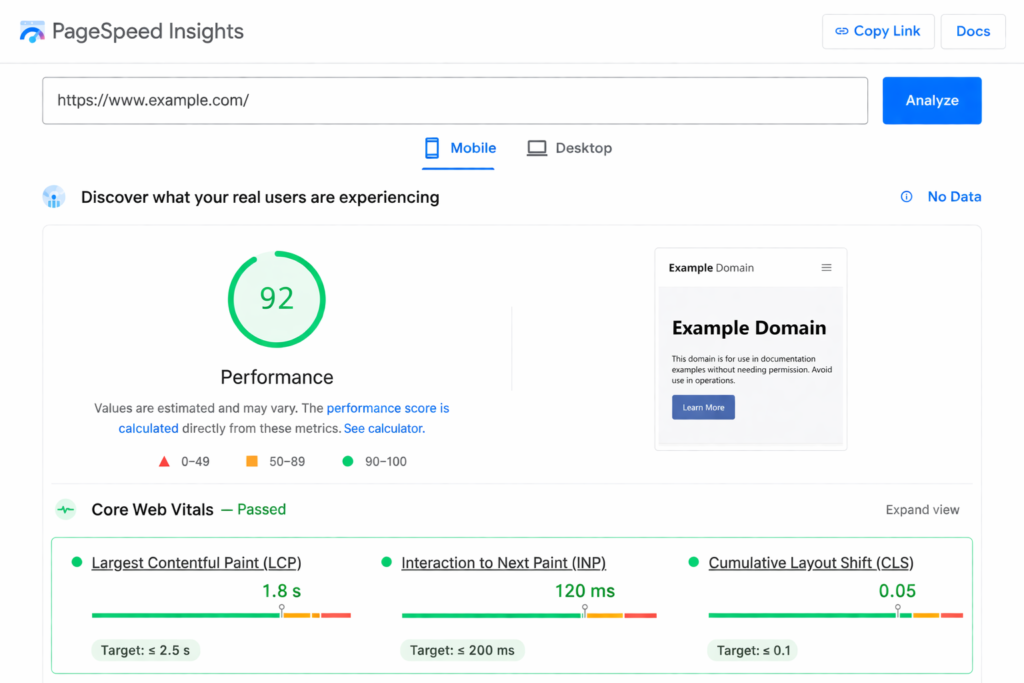
Site speed is a confirmed Google ranking factor — and Core Web Vitals are the three official measurements Google uses to assess it. Hit these benchmarks on every key page:
- LCP (Largest Contentful Paint) — how long the main content takes to load; target under 2.5 seconds
- INP (Interaction to Next Paint) — how fast the page responds to a click or tap; target under 200 milliseconds
- CLS (Cumulative Layout Shift) — how much the page jumps as it loads; target score below 0.1
Fix speed issues in this priority order:
- Convert all images to WebP format and compress below 100KB
- Enable lazy loading for images and video below the fold
- Implement a CDN (Content Delivery Network) to reduce server response time
- Minify CSS and JavaScript files and remove unused scripts
- Install a caching plugin (WP Rocket or SG Optimizer for WordPress sites)
- Upgrade web hosting if server response time exceeds 200 milliseconds
Target 80+ on Google PageSpeed Insights. Our team specialises in improving site speed and Core Web Vitals with measurable results within 30 days.
Step 5 — Ensure Full Mobile-Friendliness
Google uses mobile-first indexing — it crawls and ranks the mobile version of your site, not the desktop version. Run both the Google Search Console Mobile Usability Report and the Bing Mobile-Friendly Tester. Check all five of these:
- ✓ Body text minimum 16px — readable without zooming
- ✓ Tap targets (buttons, links) at least 48×48px with adequate spacing
- ✓ No intrusive pop-ups blocking content on mobile
- ✓ Page content does not overflow the screen on any device
- ✓ Responsive design adapts correctly to all screen sizes
If your site fails these checks, our mobile SEO performance team can fix it.
Step 6 — Fix Website Code Issues and HTTPS
“Rule: your http, https, www, and non-www URL versions should all 301-redirect (a permanent redirect that passes ranking authority) to exactly one canonical version. Four accessible versions of the same page is a duplicate content problem that directly harms rankings.”
Check these five code issues on every key page:
- Multiple live URL versions (http/https, www/non-www) — 301-redirect all to one canonical HTTPS version
- Broken canonical tags (the tag that tells Google which version of a page is the “official” one) — every indexable page needs exactly one correct canonical tag
- Missing meta tags — every indexable page needs a unique title tag and meta description
- Mixed content — all page resources (images, scripts, stylesheets) must load over HTTPS, not HTTP
- Hreflang errors (the code that signals which language or country a page targets) — verify correct language and country codes for multilingual sites
Step 7 — Audit Schema Markup
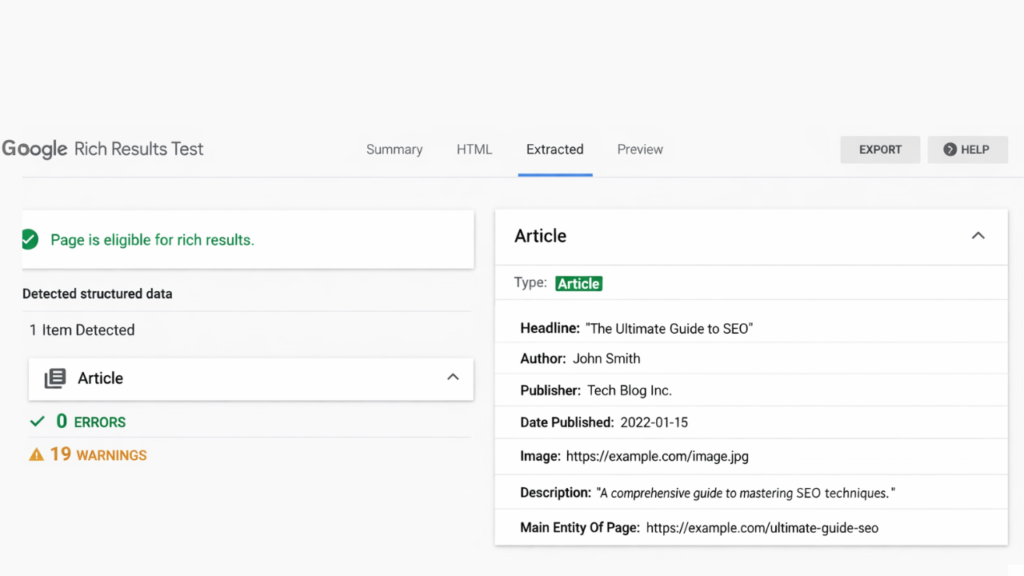
Schema markup is structured data code — typically JSON-LD — that tells Google exactly what your content represents, unlocking rich results like FAQ dropdowns, star ratings, and Knowledge Panel entries in search results. Check and implement these five schema types:
- Article / BlogPosting — for all blog and editorial content
- FAQPage — for FAQ sections; displays as expandable dropdowns in Google results
- LocalBusiness — critical for local SEO and Google Maps visibility
- Product + Review — for e-commerce pages; enables star ratings and price in SERPs
- HowTo — for step-by-step guides; can appear as a numbered rich result
Use Google’s Rich Snippets Testing Tool to validate every schema implementation before going live. Our schema markup implementation service handles setup, validation, and ongoing monitoring.
Step 8 — Optimise All Images for SEO
Image SEO affects page speed, Google Images traffic, and accessibility at the same time. Every image on your site needs to meet this standard:
- ✓ Every image has descriptive alt text including a relevant keyword where natural
- ✓ All images use WebP or SVG format — not uncompressed PNG or JPEG
- ✓ No image file exceeds 200KB — use Squoosh or TinyPNG to compress
- ✓ No broken image URLs returning 404 errors
- ✓ All images load over HTTPS — no mixed-content http image URLs on HTTPS pages
For large sites with hundreds of images, bulk optimisation and automated alt-text generation are the only practical approaches — another key advantage of SEO automation.
Step 9 — Set Up SEO Automation for Continuous Monitoring
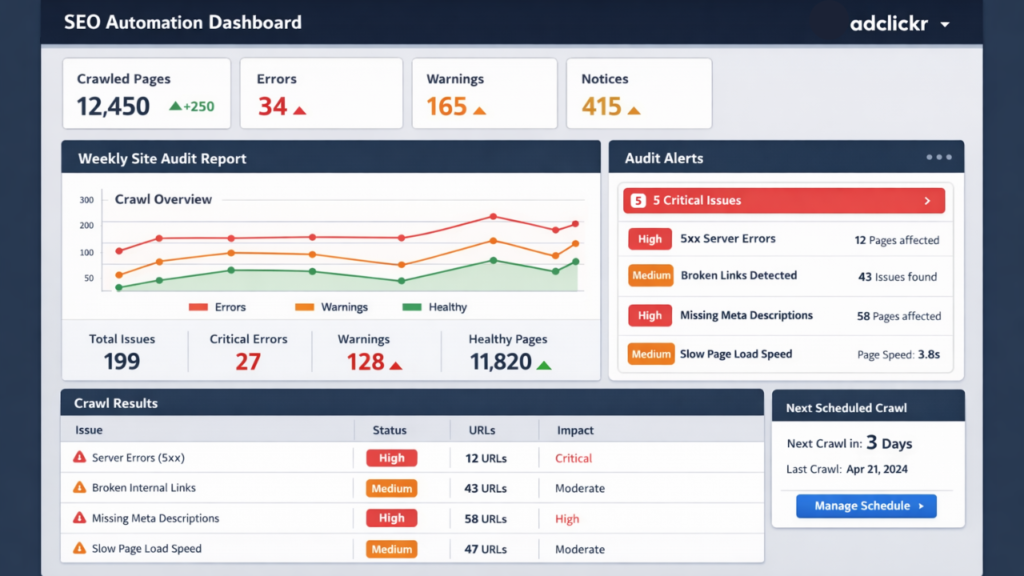
SEO automation transforms your technical audit from a quarterly event into a continuous, low-effort process. Rather than discovering critical issues weeks after they appear, automation tools alert you the moment something breaks. Set up these five actions now:
- Schedule Semrush or Ahrefs Site Audit to run a full crawl every week — receive a report every Monday
- Enable Google Search Console email alerts for manual actions, security issues, and coverage drops
- Set up Ahrefs Alerts for new broken backlinks and lost referring domains
- Configure Core Web Vitals monitoring alerts after every new site deployment
- Set up server uptime monitoring (UptimeRobot is free) to detect downtime within 60 seconds
A one-off technical audit finds today’s problems. SEO automation prevents tomorrow’s.
Common Technical SEO Mistakes to Avoid
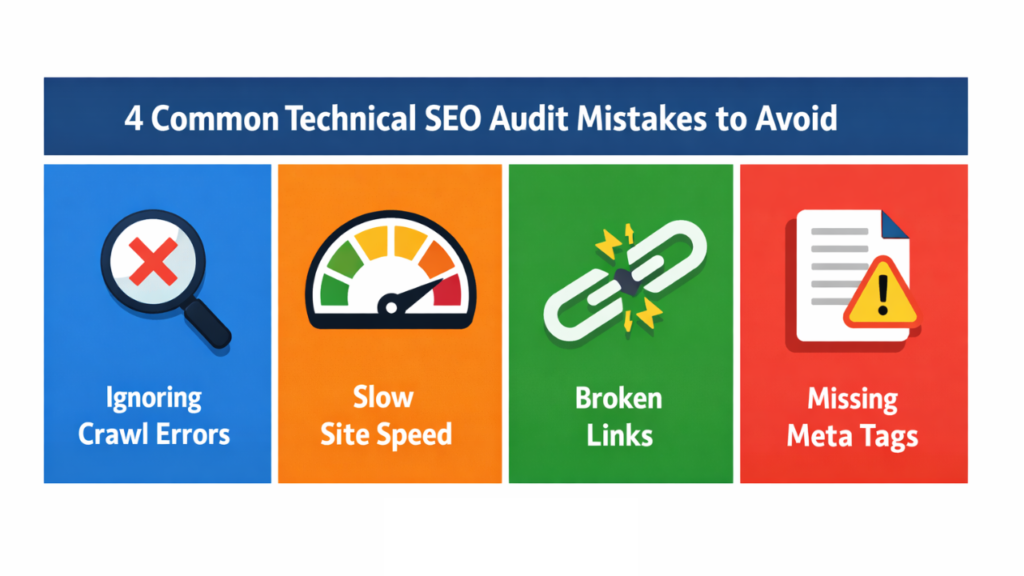
Most technical audit failures happen not because a step was missed, but because of how the audit was carried out. These four mistakes account for the majority of regressions:
- Making multiple changes at once — change one thing at a time and record every change with a date stamp; if rankings drop, you need to know exactly what caused it
- Accidentally blocking pages in robots.txt — a single wrong line can de-index your entire site; always get an experienced SEO to review before publishing any robots.txt changes
- Skipping log file analysis for larger sites — log files reveal how Google actually crawls your site; they are critical for identifying crawl budget waste on high-page-count websites
- Treating the audit as one-time — technical debt accumulates with every new blog post, plugin update, or site change; without SEO automation catching regressions, new issues build up silently
The rule of thumb: one change, one date, one record.
How Often Should You Run a Technical SEO Audit?
At minimum, every website needs a full technical SEO audit once per quarter. Your specific situation may require more:
- Quarterly: the baseline minimum for all websites regardless of size
- Monthly: large e-commerce stores, news sites, or any site publishing content multiple times per week
- After every major Google algorithm update: check for unexpected indexing or ranking changes immediately
- Immediately after a redesign or domain migration: these carry the highest risk of introducing sitewide technical problems
With the right SEO automation monitoring stack, continuous alerts replace the stress of periodic panic audits.
Frequently Asked Questions About Technical SEO Audits
A technical SEO audit is a structured review of your website’s backend infrastructure — covering crawlability, Core Web Vitals, schema markup, site architecture, and mobile usability. Its purpose is to ensure Google can find, index, and rank every important page on your site.
A small site (under 100 pages) typically takes one to two days. A large site with thousands of pages can take one to two weeks. Automated audit tools like Semrush Site Audit significantly reduce the time required for both.
The core tools are Google Search Console, Google PageSpeed Insights, Screaming Frog or Semrush Site Audit, and Google’s Rich Snippets Testing Tool. For ongoing SEO automation monitoring, add Ahrefs Alerts and Semrush scheduled crawls.
Core Web Vitals are official Google ranking signals. Sites scoring “Good” on all three metrics rank higher than technically equivalent sites with poor scores. Target LCP under 2.5 seconds, INP under 200 milliseconds, and CLS below 0.1.
SEO automation uses scheduled processes and monitoring tools to run technical checks continuously rather than manually at fixed intervals. It catches crawl errors, broken links, and Core Web Vitals regressions in real time — reducing the manual maintenance workload significantly.
Prioritise by impact, urgency, and ease of fix. Address sitewide critical issues first — HTTPS errors, multiple URL versions, Googlebot blocked in robots.txt. Then tackle page-level issues systematically. Fix one issue at a time and record every change with a date.
Start Your Technical SEO Audit Today
This 9-step technical audit checklist gives you everything needed to find and fix the issues holding your site back from ranking. Finding the issues is only the first step — the brands that stay ahead are the ones that automate the monitoring so problems never build up silently.
At Adclickr, we run comprehensive technical SEO audits and set up the SEO automation monitoring that keeps your site technically healthy year-round. No jargon — just a clear, prioritised fix list and results you can measure.
Get Your Free Technical SEO Audit
Looking to go deeper? Read our guide on how to perform a full SEO audit or explore our on-page SEO guide.