Google confirmed Core Web Vitals as ranking signals in 2021. Yet more than half of all websites still fail at least one metric and those failures are costing real rankings, real traffic, and real revenue every day. Core Web Vitals are three specific page experience metrics Google uses to measure how real users experience your site loading speed, interactivity, and visual stability.
Improving them is now a non-negotiable part of both site speed optimization and any complete technical audit. In this guide, you will learn what each metric means, how to diagnose and fix failures, and how Core Web Vitals connect to schema markup, AI search visibility, and your overall technical SEO health.
What Are Core Web Vitals? Benchmarks and Targets
Google measures three specific user experience signals as Core Web Vitals. Each has a precise benchmark that determines whether your page earns a “Good,” “Needs Improvement,” or “Poor” rating in Google Search Console.
| Metric | What It Measures | Good | Needs Improvement | Poor |
|---|---|---|---|---|
| LCP (Largest Contentful Paint) | Time for the largest visible element to load | Under 2.5s | 2.5s – 4.0s | Over 4.0s |
| INP (Interaction to Next Paint) | Time for page to respond to user interaction | Under 200ms | 200ms – 500ms | Over 500ms |
| CLS (Cumulative Layout Shift) | Amount of unexpected visual layout movement | Under 0.1 | 0.1 – 0.25 | Over 0.25 |
All three metrics are measured from real user data via the Chrome UX Report not lab simulations. This is what Google actually sees when it evaluates your site. Page Speed Insights shows both lab data and field data; the field data is what influences rankings.
Not sure how your site currently scores? Get a free SEO report to see your current Core Web Vitals status alongside other technical issues that may be holding back your rankings.
How to Fix LCP: Make Your Page Load Faster
LCP measures how long the largest visible element usually your hero image or main headline takes to render. Every second above 2.5 seconds increases bounce rate significantly. Here is how to diagnose and fix it.
Diagnose Your LCP Issues
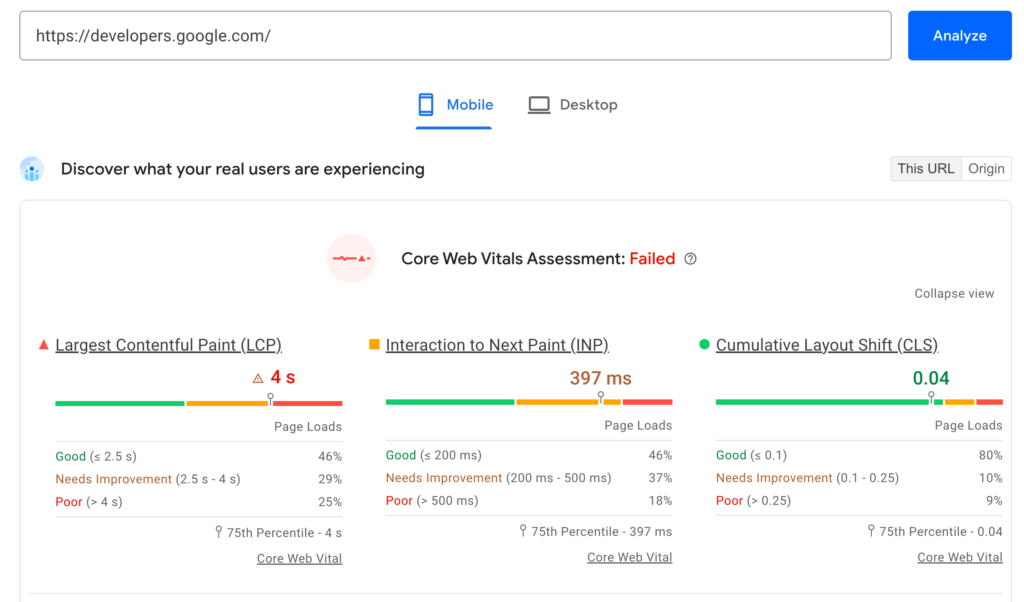
Open Google Page Speed Insights, enter your URL, and look for the Opportunities section. It will identify your LCP element and the specific issues slowing it down. Google Search Console → Enhancements → Core Web Vitals shows all pages with LCP failures across your entire site flag every “Poor” URL in your next technical audit.
LCP Fixes for Marketers (No Developer Required)
- Convert all hero and above-the-fold images to WebP format typically reduces file size by 25–35%
- Compress images to under 100KB before uploading use Squoosh or Tiny PNG
- Add loading=”lazy” attribute to all images below the fold never to the LCP image itself
- Use a content delivery network (CDN) to serve assets from a server closer to the user
LCP Fixes for Developers
- Add a <link rel=”preload”> tag for the LCP image resource so the browser fetches it immediately.
- Eliminate render-blocking CSS and JavaScript in the <head> that delays first paint
- Improve server response time (TTFB) to under 200 milliseconds consider upgrading hosting if needed
- Inline critical CSS directly in the HTML rather than loading it as an external file
How to Fix INP: Make Your Page More Responsive
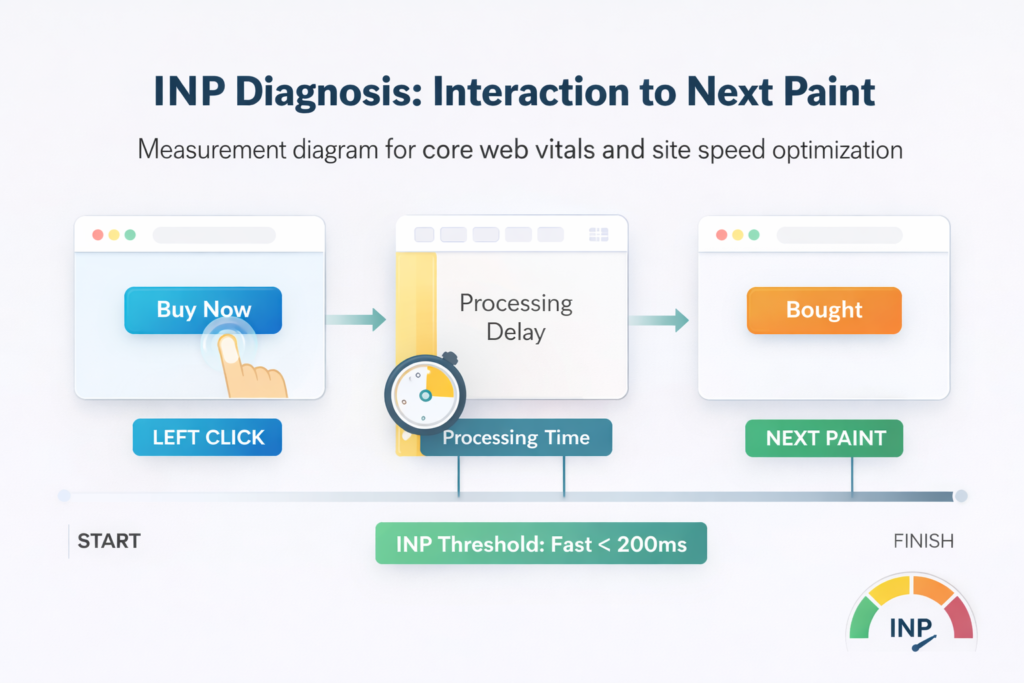
INP replaced FID (First Input Delay) as a Core Web Vital in March 2024. It measures how quickly your site responds to every user interaction taps, clicks, and keyboard input throughout the entire page session. Target: under 200 milliseconds.
Common INP Culprits
Heavy JavaScript execution is the primary cause of poor INP. In addition, third-party scripts live chat widgets, analytics pixels, ad networks, and social embeds consume main thread time and delay the browser’s response to user inputs. Unoptimized event handlers that run synchronously also block interaction responses.
INP Fixes for Marketers
- Audit every third-party script on your site remove any that are no longer used
- Use Google Tag Manager to defer non-critical scripts until after the page is fully interactive
- Reduce the number of active chat widgets, pop-up scripts, and ad pixels each one adds main thread load
INP Fixes for Developers
- Break up long tasks (any task over 50ms) using setTimeout or requestIdleCallback to yield the main thread
- Move heavy computations to web workers so they run off the main thread entirely
- Defer event handler registration until after the initial page load is complete
Proper website development practices from the start prevent most INP issues from emerging. Once you have implemented fixes, monitor whether your changes improved your field data learn to know if your optimizations are working using the GSC Core Web Vitals report to track real-user improvements over 28-day rolling windows.
How to Fix CLS: Stop Your Page From Jumping
CLS measures how much your page layout shifts unexpectedly while loading the frustrating experience of a button moving just as you tap it. Target: a CLS score below 0.1. A score above 0.25 is classified as “Poor” and can directly suppress your search visibility.
What Causes CLS
Images and embeds without explicit dimensions, late-loading ads that push content down, web fonts that cause text to reflow, and dynamically injected content added above existing page elements are the four most common causes of layout shift.
CLS Fix Checklist
- Set explicit width and height attributes on every image this reserves layout space before the image loads
- Reserve space for ad slots using min-height containers even when the ad has not loaded yet
- Use font-display: swap in your @font-face declarations to prevent invisible text and reflow
- Avoid inserting new content above existing content after the page has loaded
- Set aspect-ratio on video embeds so the browser knows the dimensions before the video streams
Stable page layout also supports better complete SEO service outcomes well-structured pages with consistent layout are easier for Google to parse schema markup from. Proper image optimization including setting correct dimensions contributes to both CLS scores and overall accessibility.
Core Web Vitals, Technical Audit, and Schema Markup: The Connection
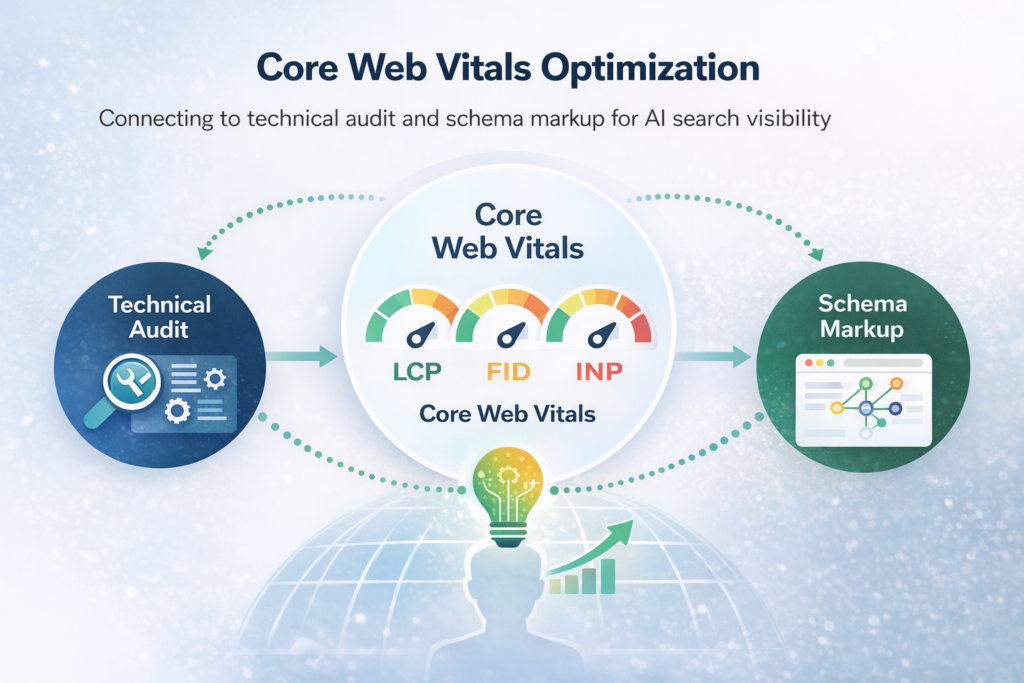
Most guides treat Core Web Vitals as a standalone topic. They are not. Every CWV failure that appears in Google Search Console is a technical audit item it must be logged, prioritized, and tracked through resolution just like a broken canonical tag or a missing meta description.
The schema markup connection is equally direct. Pages with poor CLS have unstable layouts that can interfere with how Google renders and parses structured data. A page that shifts during load gives Google less confidence in its structured data readings which affects both rich results and AI search citations.
A page that fails Core Web Vitals is harder to rank, harder to cite in AI search, and harder to convert visitors on. Core Web Vitals optimization is simultaneously a technical audit task and an AI visibility investment.
Core Web Vitals for Mobile: What Local Businesses Must Know
Google measures Core Web Vitals primarily from mobile Chrome user data. Your mobile score carries more weight than desktop for ranking purposes. For businesses targeting local SEO visibility, mobile CWV directly affects Google Maps rankings and local pack visibility.
Four mobile-specific quick wins to implement first:
- Reduce JavaScript payload mobile devices process scripts significantly slower than desktop
- Preload web fonts or switch to system fonts to eliminate font-induced layout shift on slow connections
- Optimize above-the-fold images specifically the LCP element on mobile is often different from desktop
- Eliminate mobile pop-ups that trigger CLS by inserting content above the page fold
FAQ’s
Core Web Vitals are Google metrics measuring user experience: LCP for loading speed, INP for responsiveness, and CLS for visual stability, based on real user data.
Yes, Core Web Vitals are confirmed ranking factors. They act as tiebreakers between similar pages, improving visibility when combined with strong content and backlink signals.
Good scores require LCP under 2.5 seconds, INP under 200 milliseconds, and CLS below 0.1. All metrics must pass to achieve full Page Experience benefits.
Use Google PageSpeed Insights for page analysis, Search Console for sitewide reports, and Chrome UX Report for real user data. PageSpeed Insights is the easiest starting tool.
Fixes range from one day for image optimization to several weeks for complex issues. Full audits typically take two to four weeks, with 28 days for data updates.
Content length indirectly affects performance through images, scripts, and embeds. Proper optimization ensures longer pages maintain fast load times and stable layout without harming user experience.
Start Your Core Web Vitals Optimization Today
Core Web Vitals optimization is where site speed, technical audit health, schema markup effectiveness, and AI search visibility all intersect. Fix these three metrics and you improve your rankings, your conversion rate, and your chances of being cited in AI-generated answers all simultaneously.
At Adclickr, we include Core Web Vitals diagnosis and prioritised fixes in every technical SEO engagement. Start with a free SEO report to see exactly where your site stands across all three metrics right now.
Get Your Free Core Web Vitals Report

Find out exactly which metrics are failing, which pages are affected, and what to fix first with a free automated SEO report from Adclickr. Get Your Free SEO Report →